

A maintenance calendar is the operational document that turns a preventive maintenance plan into dated, assigned tasks on an actual schedule. For a single-family home, a simple monthly or seasonal calendar works well. For a facility manager overseeing multiple sites or dozens of assets, a spreadsheet matrix paired with a CMMS-style calendar view is the right starting point.
Before you read further, here are three actions you can take right now:
- Inventory your assets. Walk your property or facility and list every system, appliance, or piece of equipment that needs regular attention (HVAC, roof, plumbing, electrical panels, fire suppression, vehicles).
- Pick your template type. One property with fewer than 20 assets? A Google Sheets matrix or Google Calendar works fine. Multiple properties or technicians? Start with a spreadsheet matrix and plan to migrate to a maintenance app.
- Schedule your first month. Block no more than two or three tasks in month one. Prove the system works before you load it up.
Table of Contents
- What is a maintenance calendar and how does it differ from a PM schedule?
- What types of preventive maintenance schedules should you use?
- How do you build a maintenance calendar you will actually follow?
- Sample maintenance tasks and suggested frequencies
- Maintenance calendar templates you can use today
- How do you choose between a spreadsheet, a maintenance app, or a CMMS?
- What KPIs should you track to know if your maintenance calendar is working?
- The Workbenchguide 90-day pilot plan
- Key Takeaways
- Why most maintenance calendars fail in month two
- Workbenchguide keeps your maintenance calendar running year-round
- Useful sources
What is a maintenance calendar and how does it differ from a PM schedule?
These two terms get used interchangeably, but they describe different things. A preventive maintenance plan is the strategic document: it lists every asset, defines what maintenance each one needs, and sets the intervals. A maintenance calendar is the operational output of that plan. It assigns those tasks to specific dates, shows who is responsible, and makes workload conflicts visible at a glance.
Think of the plan as the recipe and the calendar as the cooking schedule. You need both, but they serve different purposes.
PM schedule vs. maintenance calendar at a glance:
- PM schedule: Defines what tasks exist, why they matter, and how often they recur. It is the master reference document.
- Maintenance calendar: Shows when each task is due, who owns it, and whether the workload is balanced across weeks and months. It is the working tool.
- Who uses each: Facility managers and homeowners both need a PM schedule to set up their program. The calendar is what they open every Monday morning.
- How they interact: The schedule feeds the calendar. When intervals change (say, a manufacturer updates a filter replacement interval), you update the schedule first, then the calendar reflects it.
Three quick examples of where a maintenance calendar pays off:
- A homeowner uses a seasonal calendar to track gutter cleaning, furnace filter swaps, and exterior caulking across spring, summer, fall, and winter.
- A landlord with four rental units uses a shared spreadsheet calendar to track appliance servicing and annual inspections across properties without double-booking contractors.
- A production facility uses a forward-looking 12-month calendar to plan equipment shutdowns, parts orders, and technician assignments without disrupting production schedules.
What types of preventive maintenance schedules should you use?
Three scheduling models cover nearly every asset type. Most real-world programs use a mix of all three.
| Schedule Type | How It Works | Best For | Pros | Cons |
|---|---|---|---|---|
| Fixed (calendar-based) | Tasks recur on set dates regardless of usage (e.g., every March 1) | Time-dependent degradation: HVAC tune-ups, roof inspections, seasonal prep | Simple to plan, easy to communicate, good for compliance documentation | Can over-maintain low-use assets; under-maintains high-use ones |
| Floating (interval-from-completion) | Next task is scheduled X days after the last one was completed | Tasks where the interval resets on actual completion: filter swaps, lubrication | Reflects real-world completion timing; avoids drift from missed dates | Requires accurate completion logging; harder to plan labor in advance |
| Meter/usage-based | Tasks trigger at a usage threshold (miles, runtime hours, cycles) | Assets where failure correlates with use: vehicles, generators, pumps | Accurate for high-use assets; avoids unnecessary PMs on low-use equipment | Requires regular meter readings; adds admin overhead |
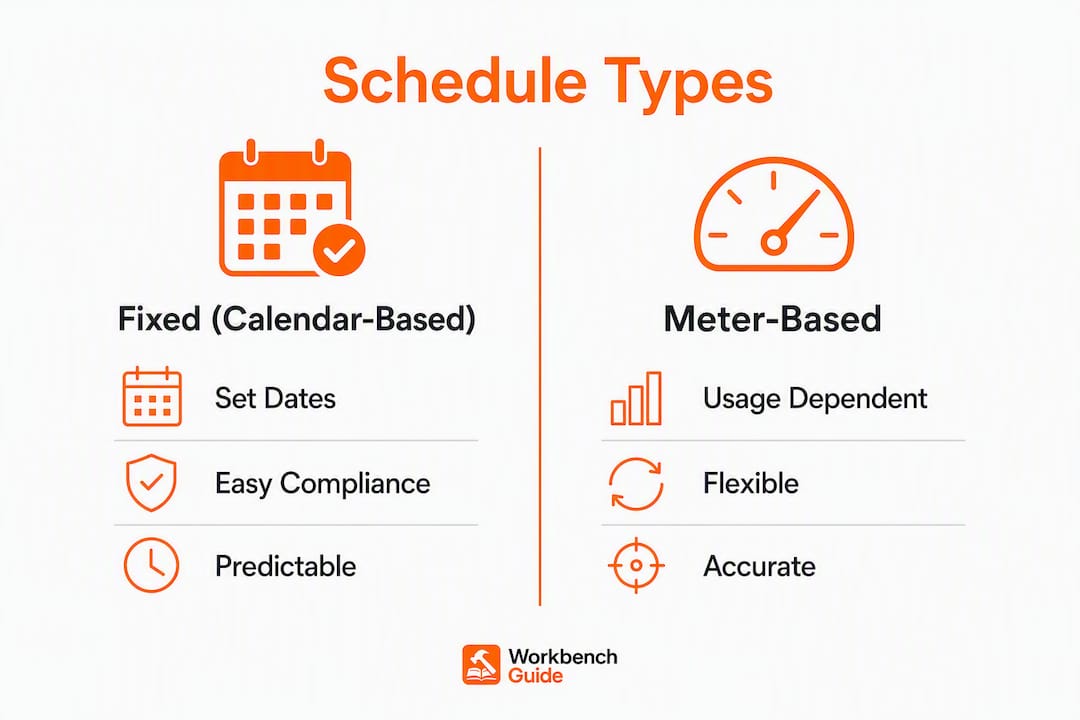
A concrete example for each: swapping a furnace filter every 90 days is a fixed schedule. Scheduling the next HVAC tune-up 365 days after the last completed service is floating. Changing a vehicle’s oil every 5,000 miles is meter-based.
Calendar-based PM is predictable and good for compliance, but it can under-serve heavily used equipment. A generator that runs 200 hours a month needs oil changes tied to runtime, not the calendar. The hybrid approach, using fixed schedules for most assets and meter-based triggers for high-use equipment, is the most practical setup for both homeowners with a backup generator and facility managers with mixed fleets.
How do you build a maintenance calendar you will actually follow?
Six steps, in order. Each one has specific fields to collect so your calendar is usable from day one.
-
Inventory your assets. Walk every room, floor, and outdoor area. For each asset, record: asset name, location, make/model, installation date, and warranty expiration. A furnace, a water heater, a roof, a parking lot lighting system — everything that can fail goes on the list. For a single home, this takes about two hours. A small commercial facility with 50 assets takes a full day.
-
Prioritize by criticality. Not every asset deserves equal attention. Rank each one: critical (failure causes safety risk, major cost, or regulatory violation), important (failure disrupts operations or comfort), and routine (failure is inconvenient but low-cost). HVAC in a climate-controlled server room is critical. A decorative exterior light fixture is routine. Criticality determines how tight your scheduling tolerance needs to be.
-
Identify tasks and reference OEM intervals. For each asset, list the specific maintenance tasks and pull the manufacturer’s recommended interval. Fields to collect: task description, OEM interval, schedule type (fixed/floating/meter), and any regulatory requirement. Never guess at intervals for safety-critical systems. Check the equipment manual or the manufacturer’s website.
-
Set frequencies and assign a schedule type. Apply the model from the previous section. Time-dependent tasks get fixed or floating schedules. Usage-driven assets get meter-based triggers. For floating schedules, note the tolerance window. The 10% rule is a useful benchmark: complete PM tasks within ±10% of their due date to maintain interval integrity without rigid inflexibility.
-
Map tasks to the calendar and balance workload. Drop every task onto a 12-month calendar view. Look for months where tasks cluster. Spread them out. For homeowners, limit tasks to two or three per month to keep the schedule sustainable year-round. For facilities, balance technician hours across weeks to avoid having a single week dominate the month’s labor.
-
Assign owners, parts, and lead times, then onboard the calendar. For each task, record: assigned owner (homeowner, specific technician, or contractor), parts needed, estimated time, and lead time for parts or contractor booking. Book specialty contractors two to four weeks ahead because HVAC, chimney, and roofing specialists fill up fast in peak seasons. Once fields are complete, load the calendar into your chosen tool and set recurring reminders.
Pro Tip: When you map tasks to the calendar in step 5, color-code by system (HVAC, plumbing, electrical, exterior) so you can spot at a glance whether one system is dominating a particular month. Spreading system types across months also makes it easier to batch parts orders.
Sample maintenance tasks and suggested frequencies

Homeowner task list
NC State Extension recommends inspecting your home at least every six months, with quarterly checks being better for catching problems early. Use that cadence as your inspection backbone, then layer in the tasks below.
Monthly
- Check HVAC filter; replace if dirty (1-inch filters typically need monthly replacement)
- Test smoke and carbon monoxide detectors
- Inspect under sinks for leaks or moisture
- Clean range hood filter
Quarterly
- Replace HVAC filter (if using 3-month filters)
- Flush water heater sediment (older units)
- Check caulking around tubs, showers, and windows
- Inspect attic for moisture, pests, or insulation gaps
- Test GFCI outlets
Biannual (Spring and Fall)
- Full seasonal home inspection: roof, gutters, foundation, exterior caulking
- Service HVAC system (professional tune-up)
- Check weatherstripping on doors and windows
- Inspect and clean dryer vent
Annual
- Chimney inspection and cleaning (if wood-burning fireplace is used)
- Drain and flush water heater
- Inspect electrical panel for signs of corrosion or overheating
- Test and recharge fire extinguishers
- Inspect roof for missing or damaged shingles
For a detailed fall maintenance checklist, Workbenchguide has a season-specific task list that maps directly into the biannual slots above.
Facility manager task list
Weekly
- Inspect fire suppression system indicators and exit lighting
- Check HVAC control panels and building automation system alerts
- Walk high-traffic areas for slip/trip hazards
Monthly
- Test emergency lighting and exit signs
- Inspect loading dock seals and levelers
- Check roof drains and mechanical room for leaks
- Lubricate door hardware and hinges
Quarterly
- HVAC filter replacement and coil inspection
- Inspect fire extinguishers (visual check per NFPA 10)
- Check plumbing fixtures for leaks and water pressure
- Inspect parking lot lighting and exterior signage
Biannual
- Full facility inspection: roof, envelope, mechanical systems
- HVAC professional service (cooling season prep in spring; heating in fall)
- Test backflow preventers
Annual
- Full electrical panel inspection by licensed electrician
- Elevator inspection and certification (if applicable)
- Sprinkler system annual inspection per NFPA 25
- Pest control perimeter treatment
When to switch a task to meter-based: If an asset runs more than 500 hours per quarter, calendar intervals will either over-maintain or under-maintain it. Generators, air compressors, and commercial kitchen exhaust fans are common candidates. Set a runtime-hour trigger and log meter readings monthly.
Maintenance calendar templates you can use today
Spreadsheet matrix: the essential fields
A spreadsheet matrix is the fastest way to get started. Each row is one task; each column captures a field the calendar needs to function.
- Asset name (e.g., “Carrier HVAC Unit 2”)
- Location (room, floor, building, or property address)
- Task description (e.g., “Replace 1-inch air filter”)
- Interval (e.g., 30 days, 90 days, annually)
- Schedule type (fixed, floating, or meter-based)
- Owner (homeowner, technician name, or contractor)
- Lead time (days of advance notice needed to order parts or book contractor)
- Parts needed (part number, quantity, supplier)
- Estimated time (hours)
- Last completed date
- Next due date (auto-calculated: last done + interval)
- Notes (OEM reference, compliance requirement, or photo link)
Sample filled row:
| Asset | Location | Task | Interval | Type | Owner | Lead Time | Parts | Est. Time | Last Done | Next Due |
|---|---|---|---|---|---|---|---|---|---|---|
| Carrier HVAC Unit 2 | Basement | Replace 1" filter | 30 days | Fixed | Homeowner | 2 days | Filtrete filter | 15 min | March 1 | April 1 |
Calendar view: what a sample week looks like
In a calendar view, each task from the spreadsheet appears as a recurring event. A well-balanced week in April for a homeowner might show: Monday, replace HVAC filter (15 min); Thursday, inspect under-sink plumbing (10 min). That is it. Two tasks, both short, both logged when done. A facility manager’s week might show: Monday, emergency lighting test (Building A); Wednesday, HVAC filter check (all units); Friday, loading dock inspection. The goal is a calendar that looks manageable, not overwhelming.

Pro Tip: In Google Calendar, create a separate, toggleable “Home Maintenance” calendar so tasks never clutter your work or personal events. You can hide it when you don’t need it and turn it back on every Sunday to plan the week.
Import and reuse tips
- Google Sheets to Google Calendar: Use a Sheets add-on (such as “Calendar Events from Sheets”) or manually create recurring events from your next-due-date column.
- Excel/CSV to a maintenance app: Most apps accept a standard CSV import. Keep column headers clean and consistent before importing.
- Single property vs. multiple properties: For one home, one sheet with 20–30 rows is enough. For multiple properties, add a “Property” column and filter by location. At five or more properties, a dedicated maintenance app handles the filtering and notifications automatically.
- CMMS threshold: If you manage more than 50 assets, have more than two technicians, or need work-order generation and parts inventory tracking, a CMMS becomes worth the cost. Below that threshold, a well-structured spreadsheet plus a calendar app covers most needs.
Download ready-to-use templates and checklists from the Workbenchguide guides and checklists hub.
How do you choose between a spreadsheet, a maintenance app, or a CMMS?
The right tool depends on four variables: asset count, number of properties or sites, number of people involved, and whether you need compliance documentation.
Decision checklist:
- Fewer than 20 assets, one property, one owner: A Google Sheets matrix plus Google Calendar handles everything. Free, flexible, and fast to set up.
- 20–50 assets, one to three properties, one or two technicians: A dedicated homeowner or small-property maintenance app adds automated reminders, mobile checklists, and photo documentation without the complexity of enterprise software.
- 50+ assets, multiple sites, or regulatory compliance requirements: A CMMS adds work-order generation, parts inventory, labor tracking, and audit-ready reporting. The admin overhead is higher, but so is the accountability.
Feature trade-offs to weigh:
- Cost: Spreadsheets are free. Maintenance apps run from free tiers to modest monthly subscriptions. CMMS platforms range from mid-range to enterprise pricing.
- Automation: Spreadsheets require manual date updates. Apps send push notifications and auto-reschedule. CMMS platforms generate work orders automatically.
- Mobile access: Spreadsheets work on mobile but are awkward. Apps are built for it. CMMS platforms vary.
- Parts and labor linkage: Only apps and CMMS platforms connect tasks to parts inventory and labor cost tracking.
- Reporting: Spreadsheets require manual calculation. Apps provide basic dashboards. CMMS platforms generate compliance-ready reports.
Facilities that adopt structured PM calendars report 25–35% lower maintenance costs and equipment lifespans extending 20–40% beyond reactive-only operations. Those figures come from vendor case data, so treat them as directional rather than guaranteed. The underlying logic holds: catching a failing component during a scheduled PM costs far less than an emergency repair after failure.
Workbenchguide is built specifically for homeowners, landlords, and small property managers. It maps directly to the templates in this guide, with smart reminders, mobile checklists, photo documentation, and multi-property management in one place.
What KPIs should you track to know if your maintenance calendar is working?
Five metrics tell you whether your program is running well or needs adjustment. None of them require sophisticated software to calculate.
1. Completion rate
Formula: (Completed PMs ÷ Scheduled PMs) × 100. A completion rate above 90% means your calendar is realistic and your team or household is following through. Below 80% is a signal that tasks are too complex, too frequent, or not assigned clearly enough.
2. Overdue task rate
Count tasks past their due date as a percentage of all scheduled tasks. If more than 10–15% of your tasks are consistently overdue, the calendar is overloaded. Reschedule or simplify before adding new tasks.
3. Mean Time Between Failures (MTBF)
For facility managers: MTBF = Total uptime ÷ Number of failures. A rising MTBF means your PM program is extending equipment life. A flat or falling MTBF means PMs are not preventing failures, and you may need to increase frequency or switch to meter-based triggers.
4. Mean Time to Repair (MTTR)
MTTR = Total repair time ÷ Number of repairs. Tracking MTTR alongside MTBF shows whether your response to failures is getting faster. For homeowners, this translates simply to: how long does it take from noticing a problem to fixing it?
5. Maintenance cost per asset
Track parts and labor cost per asset per year. Rising costs on a specific asset often signal that it is approaching end of life and should be replaced rather than maintained.
How to collect these from a spreadsheet: Add a “Completed” checkbox column and a “Completion date” column. At the end of each month, count completed vs. scheduled rows. For MTBF and MTTR, add a separate “Failures” log tab with date, asset, downtime hours, and repair time.
How to respond to a low completion rate: First, check whether tasks are too time-consuming. If a task consistently takes longer than estimated, update the time estimate and reschedule it to a less crowded week. Second, check parts availability. If tasks are skipped because parts were not on hand, add a lead-time reminder two weeks before the due date. Third, check ownership. An unassigned task gets done last, if at all.
For guidance on why regular inspections matter and how early detection changes the cost curve, Workbenchguide covers the financial case in detail.
The Workbenchguide 90-day pilot plan
The fastest way to prove a maintenance calendar works is to run a small, controlled pilot before loading the full asset list. Here is a 90-day structure that works for both homeowners and small facilities.
Week 0: setup
- Complete steps 1–3 from the six-step build process (inventory, prioritize, identify tasks).
- Select 5–10 assets for the pilot. Choose a mix: one critical asset, two or three important ones, and one or two routine items.
- Build the spreadsheet matrix for those assets only. Fill every field.
- Load tasks into your calendar tool and set reminders.
Weeks 1–4: run a small set of PMs
- Execute only the tasks scheduled for month one. Do not add anything.
- Log completion dates and actual time spent.
- Note any parts that were missing or tasks that took significantly longer than estimated.
Month 2: expand
- Add the next tier of assets from your inventory list.
- Adjust time estimates based on month-one actuals.
- If completion rate was below 90%, reduce task count before expanding.
Month 3: evaluate and adjust
- Calculate completion rate, overdue rate, and any repair events that occurred.
- Review whether any assets had unexpected failures. If so, consider increasing PM frequency or switching to a meter-based trigger.
- Decide whether to stay with a spreadsheet or move to a maintenance app based on the admin load you experienced.
Practical dos and don’ts:
- Do start with your highest-criticality assets. A missed PM on a water heater costs more than a missed PM on a garden hose.
- Do set calendar reminders two to four weeks ahead for any task requiring a contractor or special-order parts.
- Don’t add new tasks mid-pilot. Let the system stabilize first.
- Don’t skip the month-3 review. That is where the calendar earns its keep.
Consistency matters more than perfection. A calendar that gets 85% completion every month outperforms a perfect calendar that gets abandoned after 60 days.
Key Takeaways
A well-built maintenance calendar, run consistently for 90 days, will reveal workload gaps, reduce emergency repairs, and give you a clear picture of what each asset actually costs to maintain.
| Point | Details |
|---|---|
| Start with a template that fits your scale | One property under 20 assets: spreadsheet plus calendar. Multiple properties or technicians: use a maintenance app. |
| Use hybrid scheduling | Combine fixed intervals for time-dependent tasks with meter-based triggers for high-use assets like generators or vehicles. |
| Limit monthly task count | Cap tasks at two or three per month for homeowners to keep the schedule sustainable and completion rates high. |
| Track five core KPIs | Completion rate, overdue rate, MTBF, MTTR, and cost per asset tell you whether the calendar is working or needs adjustment. |
| Workbenchguide accelerates setup | Workbenchguide’s app maps directly to these templates with smart reminders, mobile checklists, and multi-property management built in. |
Why most maintenance calendars fail in month two
The problem is almost never the template. It is the workload. Most people build a calendar by listing every task they have ever heard of, assign them all to January, and burn out before February. The calendar looks thorough. It is not sustainable.
The research backs this up: limiting tasks to two or three per month is not a compromise, it is the strategy. A calendar you follow at 85% completion for a year does more for your home or facility than a perfect calendar you abandon after six weeks. The 90-day pilot structure in this guide exists precisely because most people need to see the system work on a small scale before they trust it with their full asset list.
There is also a subtler issue with facility managers: the tendency to build the calendar around technician availability rather than asset criticality. When a technician has a light week, tasks get front-loaded. When they are busy, critical PMs slip. The fix is to schedule by asset priority first, then fit labor around it, not the other way around.
One micro-practice worth adopting: every Sunday, open the calendar and confirm the week’s two or three tasks are still realistic. If something changed (a contractor canceled, a part did not arrive), reschedule immediately rather than letting the task go overdue. That five-minute weekly check is what separates a calendar that runs itself from one that requires constant rescue.
Workbenchguide keeps your maintenance calendar running year-round
Spreadsheets work until they don’t. The moment you add a second property, a second technician, or a contractor who needs task details on their phone, a spreadsheet becomes a coordination problem. Workbenchguide is built for exactly the point where a homeowner or small property manager outgrows a spreadsheet but does not need enterprise CMMS complexity.
The app delivers smart maintenance reminders tied to your specific assets, mobile-ready checklists you can check off from anywhere, photo and note documentation for every task, and multi-property management from a single dashboard. It connects directly to the template structure in this guide, so the fields you filled in your spreadsheet matrix map straight into the app.
Homeowners, landlords, and property managers managing up to a handful of properties are the core audience. The home maintenance checklist is a strong starting point if you want a ready-made task list before building your full calendar. For the full platform, visit Workbenchguide and start a free trial to see how the reminders and checklists work with your asset list.
Useful sources
These references back the guidance in this article and are worth bookmarking for deeper reading:
- Preventative Home Maintenance, NC State Extension Publications: University extension guidance on inspection cadence and seasonal task priorities. One of the most credible free resources for homeowners.
- NACHI Component Life Expectancy Guide: The National Association of Certified Home Inspectors publishes expected lifespans for every major home component. Use it to set replacement timelines in your annual maintenance checklist.
- USFA Residential Fire Causes: Federal data on the leading causes of residential fires. Useful for prioritizing electrical and heating system PMs as safety-critical tasks.
- U.S. Census Bureau: Older Home Costs: Census data on maintenance cost differences by home age. Helps facility managers and landlords calibrate maintenance budgets for older properties.
- The 10% Rule of Preventive Maintenance, Accruent: Explains the scheduling tolerance standard used by maintenance professionals to keep PM intervals on track without rigid inflexibility.
- Workbenchguide Guides and Checklists Hub: Downloadable templates, seasonal checklists, and DIY guides organized by home system. The fastest way to populate your first maintenance calendar with real, tested tasks.