

A homeowner binder is a single organized collection of the documents and service records that let you prove maintenance history, speed up insurance claims, and hand a buyer a clean paper trail when you sell. The fastest path to one is not chronological filing. It is sorting by home system and starting today with three core items:
- Your homeowner’s insurance policy number and agent contact
- Model and serial numbers for your major appliances and HVAC system
- Any warranties or service invoices from the last 12 months
Grab a folder, physical or digital, and drop those three things in now. Everything else in this guide builds on that.
Key Takeaways
A homeowner binder works best when it’s organized by system rather than by date, assembled in one focused 30 minute session, and backed up digitally so nothing is lost to fire, flood, or a misplaced folder.
| Point | Details |
|---|---|
| Start with three items | Capture your insurance policy number, appliance serial numbers, and recent invoices today. |
| File by system, not date | Use tabs like HVAC, Plumbing, and Roofing so records are easy to find during a repair or claim. |
| Log six data points per visit | Record date, vendor, system, work performed, cost, and next service due for every entry. |
| Size your binder to your records | A 2 to 3 inch binder fits most homes; upgrade to 4 inches once paperwork passes about 110 pages. |
| Go hybrid, not either-or | Keep irreplaceable originals safe and back up scanned copies to the cloud with consistent file names. |
Table of Contents
- Prioritized Checklist: What to Put in Your Home Records Binder First
- Why System-Based Filing Beats Chronological Filing
- Physical Binder or Digital Binder? Use Both
- Assemble Your Homeowner Binder in 30 Minutes
- When the Binder Actually Pays Off
- How Workbenchguide Complements Your Binder
- What to Record Every Time a Contractor Visits
- Keeping Sensitive Information Safe in Your Binder
- Start With Workbenchguide’s Maintenance Tools
- Homeowner Binder: How to Set One Up in 30 Minutes
- Frequently Asked Questions
- Sources
Prioritized Checklist: What to Put in Your Home Records Binder First
Not every document deserves equal priority on day one. Some items save you money the moment a repair goes sideways; others just make life tidier. Here’s the order that actually matters.
Tier 1: Add these today
- Appliance model and serial numbers (check the sticker inside the door or on the back panel)
- Warranty documents for anything still under coverage
- Your homeowner’s insurance policy number, deductible, and agent’s direct line
- Recent service invoices, especially for HVAC, plumbing, or electrical work
Tier 2: Add these this week
- Building permits for any past renovations (you’ll need these if you ever sell)
- Receipts for capital improvements, which can affect your cost basis for tax purposes
- Contractor names, phone numbers, and license numbers for anyone who’s worked on the house
Tier 3: Nice to have, low urgency
- Paint colors and brand names for every room, so touch-ups don’t turn into guesswork
- HVAC filter sizes, so you’re not squinting at a torn cardboard box at the hardware store
- Gate codes, garage codes, and Wi-Fi network info for house sitters or contractors
- Utility account numbers for gas, water, electric, and trash service
A home maintenance binder built around appliance data, warranties, and contractor contacts covers the moments homeowners actually get stuck: a dishwasher dies two years into its warranty and nobody can find the receipt, or a buyer’s inspector asks when the roof was last serviced and the answer is a shrug. Tier 1 items solve most of those problems by themselves.
Why System-Based Filing Beats Chronological Filing
Sorting papers by date feels natural, but it’s the slower method when you actually need something. If your water heater fails, you don’t want to flip through three years of mixed receipts looking for the installation date. You want a “Plumbing” tab that has everything in one place.
Organizing records by home system rather than by date is a five-step approach that mirrors how inspectors, insurance adjusters, and buyers actually evaluate a property. They ask “what’s the HVAC history?” not “what happened in March?”
Here’s a tab structure that works for most houses:
- HVAC
- Plumbing
- Electrical
- Roofing
- Appliances
- Exterior (siding, deck, fencing, landscaping)
- Permits & Improvements
- Contacts
- Insurance
Inside each tab, name files with the date first (“2026-03-14_HVAC_tuneup.pdf”) so everything sorts chronologically within its category automatically. For every service entry, capture six data points: the date, the vendor, the specific system or component, the work performed, the cost, and when the next service is due. That last field turns your binder from a filing cabinet into an actual planning tool.
Physical Binder or Digital Binder? Use Both
A physical binder has one big strength: it works without Wi-Fi, a password, or a charged phone. It’s also durable in the sense that nobody can hack it. But it lives in exactly one location, which means a house fire or flood can wipe out years of records in minutes.
A digital binder solves that problem. Files are searchable, accessible from your phone at the hardware store, and easy to back up. The tradeoff is that scanning everything takes real time up front, and a disorganized folder of photos is barely better than a shoebox of receipts.
The smart move is a hybrid setup:
- Keep original paper copies of irreplaceable documents (deeds, original warranties) in a fireproof safe or safe deposit box
- Scan everything else into searchable PDFs for daily use
- Back up scanned files to at least one cloud location using a consistent naming convention
- Treat the physical binder as your working copy, not your only copy
Paper binders remain useful as working references, but digital copies matter most when you need to email a contractor, share a maintenance history with a buyer’s agent remotely, or pull up a serial number from your phone.
Pro Tip: Scan documents with your phone’s built-in scanner app instead of taking a regular photo. The scanner apps automatically crop, straighten, and convert to PDF, which makes files far easier to search later.
Assemble Your Homeowner Binder in 30 Minutes
You don’t need a weekend for this. Here’s what to gather and how to move through it fast.
Supplies:
- A 2 to 3 inch three-ring binder for most homes
- Tabbed dividers (nine tabs if you’re using the system-based structure above)
- Sheet protectors for anything you don’t want punched full of holes
- A hole punch, plus a label maker or printed tab inserts
- A few plastic zip pockets for loose receipts and business cards
The 30-minute plan:
- Gather every home-related paper you can find in five minutes flat (don’t sort yet, just pile)
- Sort into the Tier 1 essentials from the checklist above
- Scan anything irreplaceable while it’s in your hands
- Label your tabs and slide dividers into the binder
- File everything under its system tab
- Set a recurring quarterly reminder to add new receipts and invoices
For sizing, a 2 to 3 inch binder handles most households, but if you’ve done major renovations or you’re tracking multiple systems in detail, upgrade to a 4 inch binder once your paperwork crosses roughly 110 pages.
When the Binder Actually Pays Off
An organized binder earns its keep at three specific moments, and it’s worth knowing exactly what to pull for each one.
Filing an insurance claim: Present your service history, dated photos of the damaged area, original invoices, and the phone number of the contractor who last worked on that system. Adjusters move faster when the paper trail is already assembled.

Selling your home: Copy your maintenance history into a packet for your agent or the buyer directly. A documented HVAC service history or a roof replacement receipt can be the difference between a buyer’s confidence and a lowball offer built on suspicion.
Handling an emergency: Your Contacts tab should list shut-off valve locations, alarm codes, and every contractor’s direct line, so a burst pipe at 11 p.m. doesn’t turn into a frantic search through drawers.
How Workbenchguide Complements Your Binder
A binder is only as useful as your habit of updating it, and that’s exactly where a digital layer helps. Workbenchguide’s maintenance checklists map directly onto the same system-based tabs you’re already using, HVAC, plumbing, roofing, and the rest, so reminders show up before a filter or a service date slips your mind.
- Log service entries, photos, and model numbers alongside the same data your binder tracks
- Get scheduled reminders tied to each home system instead of relying on a quarterly calendar alert
- Pull up records from your phone during a repair instead of digging through paper at home
If you want the reminder structure built out for you, the home maintenance checklist and the HVAC maintenance guide both give you a starting framework that lines up with the binder tabs above.
What to Record Every Time a Contractor Visits
A maintenance log only works if every entry contains the same core details, no matter who did the work or what system it touched. Skip a field once and you’ll be missing exactly the piece of information an adjuster or buyer asks for later.
Every service entry should capture: the date of service, the vendor or contractor name and contact info, the specific system or component involved, the work actually performed, the cost paid, and the next recommended service date. That last field is the one homeowners skip most often, and it’s the one that turns a static log into a working schedule.
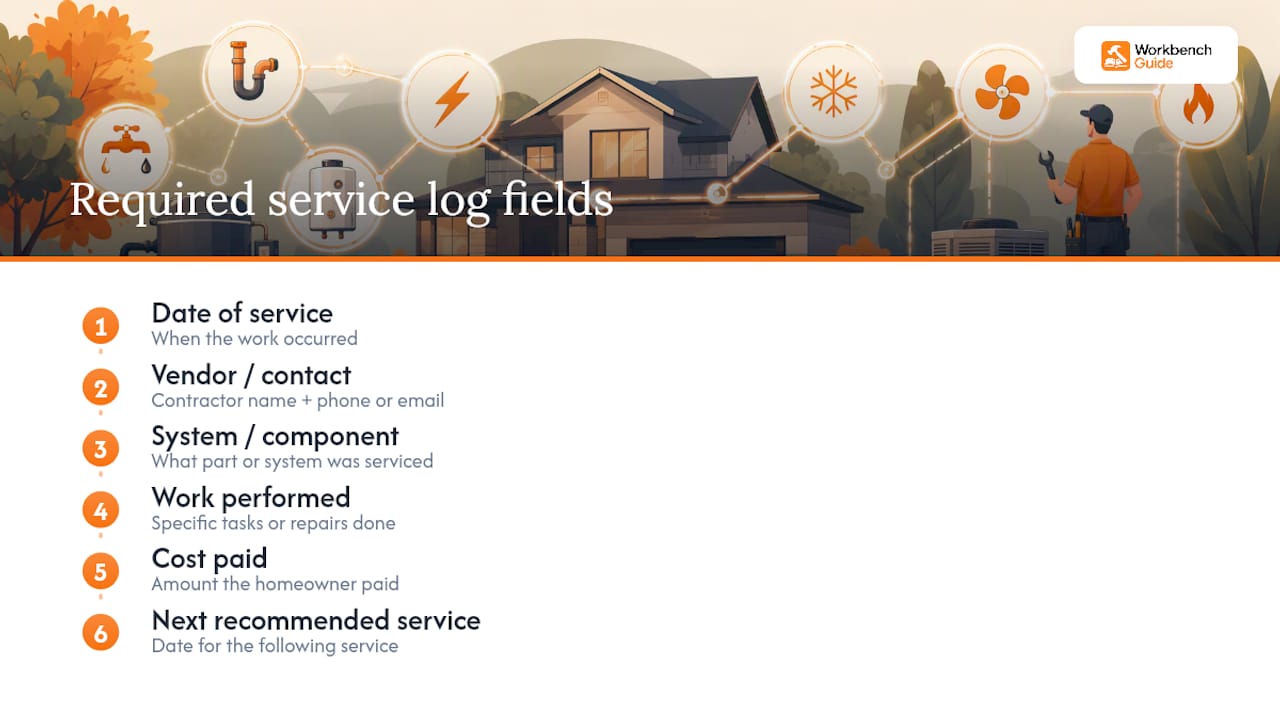
A logging habit matters more than the tool you use to keep it. Consistency in tracking date, vendor, cost, and warranty details beats a fancier system that gets abandoned after two months. Even a handwritten line in a notebook, if it’s done every single time, outperforms an elaborate spreadsheet nobody updates.
One more detail worth logging: how long to keep each record. Retain most maintenance receipts for at least seven years for tax and insurance purposes, and hold onto major system documentation for as long as that equipment is expected to last, roughly 15 to 20 years for HVAC systems and 20 to 30 years for a roof.
Keeping Sensitive Information Safe in Your Binder
Your binder likely contains information you wouldn’t want a stranger flipping through: insurance policy numbers, alarm codes, gate combinations, and sometimes account numbers for utilities. Treat that data with the same caution you’d give a filing cabinet full of bank statements.
Store the physical binder somewhere secure but accessible, a locked drawer or a home office rather than an unlocked mudroom shelf where a house sitter, contractor, or delivery person could page through it. If you’re listing alarm codes or gate codes, consider writing them on a removable insert you can pull out before showing the house to buyers or handing keys to a short-term guest.
For the digital half of your hybrid system, password-protect any cloud folder containing scanned insurance documents or account numbers, and avoid emailing sensitive scans as plain attachments. A shared family cloud folder works fine for maintenance logs and warranty PDFs, but keep anything with account numbers or codes in a separate, access-controlled folder.
Finally, do a light annual purge. Expired warranties, sold appliances, and outdated contractor contacts don’t need to sit in your binder forever, and fewer irrelevant documents means less exposure if the binder or the folder is ever lost or accessed by someone who shouldn’t have it.
Start With Workbenchguide’s Maintenance Tools
Building the binder gets you organized once. Staying organized is the harder part, and that’s the gap Workbenchguide is built to close. Instead of relying on a quarterly reminder you might forget, the platform tracks your home systems the same way your binder does, by HVAC, plumbing, roofing, and appliances, and nudges you before small maintenance issues turn into expensive repairs.
Start with the home maintenance checklist to map out what needs attention this year, or explore preventative maintenance strategies built to catch problems before they cost you a service call. Either one plugs directly into the system-based structure you just built in your binder.
Homeowner Binder: How to Set One Up in 30 Minutes
Most advice on this topic treats the binder like a scrapbook project, something you perfect over a weekend with color-coded tabs and laminated dividers. That’s backwards. The homeowners who actually maintain one of these long-term are the ones who started with a messy 30 minute pass and refined it later, not the ones who waited for a free Saturday that never came.
The conventional wisdom also overrates chronological filing. It feels intuitive because that’s how we save photos and emails, but it’s the wrong model for a document you’ll search under pressure, mid-claim, mid-sale, or mid-emergency. System-based tabs win because they match the question you’ll actually ask: not “what happened in June” but “what’s the plumbing history.”
If you take one thing from this guide, prioritize the habit of logging over the perfection of the binder itself. A three-ring binder with rough tabs and consistent entries beats an elaborate system that stops getting updated after month two. Get the three-item starter list in place this week, then let the structure grow around it.
Frequently Asked Questions
What is a homeowner binder used for?
It centralizes maintenance records, warranties, contractor contacts, and insurance details so you can prove home upkeep during a claim, a sale, or an emergency repair without hunting through drawers.
What size binder do I need for home records?
Most households do well with a 2 to 3 inch three-ring binder. Consider a larger binder once your paperwork becomes very extensive, which usually happens after a major renovation.
Should I keep a home binder physical or digital?
Both. Keep irreplaceable originals in a physical, secure location and scan everything else into a searchable, backed-up digital folder. A hybrid setup protects you against both a lost paper and a lost device.
How often should I update my home maintenance binder?
A quarterly review is enough for most homes. Add new invoices, warranty updates, or service entries each time you complete a repair, and do a light annual purge of expired warranties or outdated contacts.
What should I record for each contractor visit?
Note the date, vendor name and contact, the specific system worked on, the work performed, the cost, and the next recommended service date. Those six fields turn a stack of receipts into a usable maintenance log.
Sources
- Binders Inc. — Binder sheet sizes
- Lifehacker — You need a home maintenance binder (and what to put in it)
- Real Estate Ledger — How to organize home maintenance records: 5 steps
Leave a Reply