
The fastest way to stop reactive repairs and cut emergency costs is a maintenance app paired with digital DIY guides. Workbenchguide is the recommended option: subscribe to the free trial, add one property, and you’ll see immediate value from the first reminder cycle. If you manage multiple units, the multi-property tier pays for itself the first time it prevents a missed HVAC service during peak summer demand.
What you get from this guide:
- A feature checklist to evaluate any home-maintenance software
- Workflow breakdowns by role: homeowner, landlord, property manager
- Realistic pricing bands and ROI signals
- A 30–60–90-day rollout plan
- Research-backed evidence on outcomes
Table of Contents
- What features make home-repair software actually useful?
- How homeowners, landlords, and property managers use these tools differently
- What does home-maintenance software actually cost?
- A practical 30–90 day rollout plan
- What the evidence shows about maintenance software outcomes
- Final recommendation and next steps
- Key Takeaways
- Why the “right features” argument matters more than you think
- Workbenchguide cuts emergency costs before they happen
- Where these recommendations come from
What features make home-repair software actually useful?
The top home repair products in the software category share a core feature set. Anything missing from that set creates a gap that shows up as a missed filter change, a denied warranty claim, or a duplicate vendor call.
- Scheduled reminders and recurring tasks: Prevents the most common failure mode, forgetting. HVAC filters, gutter cleans, and smoke detector tests all need calendar-driven triggers, not memory.
- Tenant or household request intake: A structured intake form replaces texts and emails, so every request gets a work order with a timestamp and a photo.
- Work-order tracking with photo and note documentation: Documented maintenance history protects warranties and is valued by inspectors and buyers when you sell.
- Asset records and warranty storage: Knowing the install date and model number of your water heater before it fails saves hours of searching.
- Offline-first mobile app: Many maintenance tasks happen in basements, on roofs, or at rural sites where connectivity is poor. Buyer’s guides consistently flag that apps requiring constant connectivity push field staff back to paper workarounds.
- Multi-property support: Single-family homeowners can live without it; anyone managing two or more units cannot.
- Calendar sync and data export: Bidirectional calendar sync matters for landlords coordinating vendor schedules. Data export protects you if you ever switch platforms.
- DIY guides and inspection checklists: Step-by-step content closes the gap between knowing a task is due and knowing how to do it. Workbenchguide’s essential household repair guides cover the most common jobs.
Pro Tip: When evaluating software, prioritize offline mobile sync and a clean tenant request flow over any predictive analytics module. Fancy AI forecasting is useless if your field tech can’t pull up a work order in a basement.
How homeowners, landlords, and property managers use these tools differently
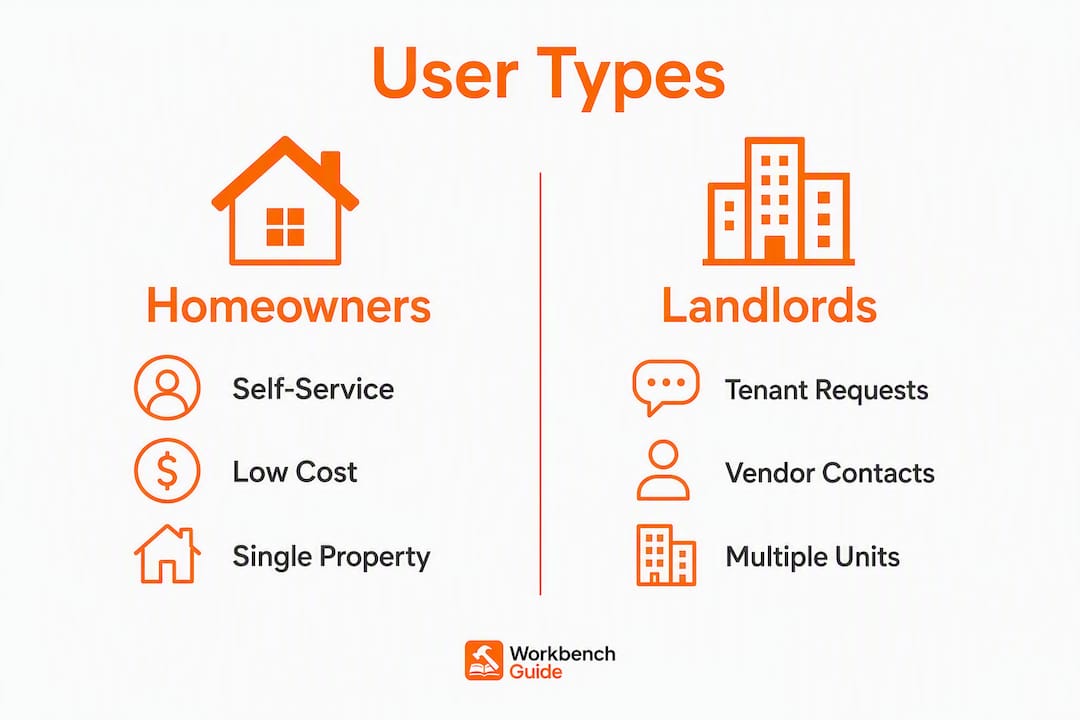
The same software category serves three distinct workflows. Buying the wrong tier wastes money; buying the right one pays back within weeks.
Single-family homeowners
The homeowner use case centers on one property, low monthly cost, and self-service. The features that matter most are asset tracking (appliance model numbers, install dates), warranty storage, a seasonal maintenance checklist, and access to DIY guides. A homeowner who logs every repair digitally builds a documented history that supports warranty claims and improves resale outcomes.
Small landlords (1–10 units)
Small landlords need tenant request intake, per-unit maintenance histories, a vendor contact list, and recurring inspection scheduling. The workflow looks like this: tenant submits a photo of a leaking faucet through the portal, a work order is created automatically, the plumber adds notes and attaches the invoice, and the record stays tied to that unit forever. CMMS tools prevent the scattered texts-and-spreadsheets problem that makes small portfolios feel chaotic. Landlords who centralize communications into one digital repair log stop answering repeated questions about prior work.

Professional property managers (50+ units)
At scale, the priorities shift to bidirectional property management system (PMS) integration, role-based access controls, reporting templates, and vendor dispatch. A manager overseeing 80 units needs to see which work orders are overdue across all properties at a glance, not property by property. API access and configurable recurring schedules matter here; advanced predictive analytics are optional for most portfolios at this scale.
What does home-maintenance software actually cost?
Common pricing models
| Buyer type | Typical pricing model | Approximate monthly cost |
|---|---|---|
| Single-family homeowner | Per-home flat subscription | $5/month |
| Small landlord (1–10 units) | Per-account or per-property | $20–$50/month |
| Property manager (50+ units) | Tiered subscription + implementation | $50+/month, plus setup fees |
Hidden costs to budget for
Implementation, data migration, and training rarely appear in the headline price. Seat licensing adds up when you include contractors. Some platforms charge per contractor credit for Q&A access. Before signing, ask specifically about: CSV import support, integration fees for accounting or PMS tools, and whether the mobile app costs extra.
ROI signals to watch
Software that moves owners from reactive to proactive maintenance pays back fastest through three channels: fewer emergency calls, avoided peak-demand replacement costs (an HVAC unit replaced in July costs more than one replaced in March), and reduced duplicate vendor trips. CMMS use correlates with a roughly 20% decrease in Mean Time to Repair, and PM compliance above 90% correlates with a 3x–5x reduction in emergency repair calls. Those are the numbers to track during your first 90 days.
Pro Tip: Build a simple cost-capture sheet before you sign up: list your last 12 months of emergency repair spend, vendor trip fees, and any warranty claims you lost. That baseline makes ROI obvious within one quarter.
A practical 30–90 day rollout plan
Starting with a single pilot property dramatically reduces rollout risk. It surfaces real implementation costs and validates your workflows before you commit the full portfolio.
The 30/60/90 checklist
Days 1–7 (Quick start)
- Add one property and enable maintenance reminders.
- Run a test ticket through the tenant or household request flow.
- Confirm the mobile app works offline by toggling airplane mode.
Days 8–30 (First month)
4. Import asset records via CSV (appliances, HVAC, water heater, roof age).
5. Set recurring tasks: HVAC filter, smoke detector, gutter clean.
6. Invite household members or tenants with the default invite flow.
Days 31–90 (Full rollout)
7. Add your vendor list and assign default contractors by trade.
8. Integrate your calendar and, if applicable, your accounting tool.
9. Run the first preventive maintenance round and document outcomes.
10. Pull a report: open work orders, average resolution time, emergency vs. planned ratio.
| Week | Activity | Expected outcome |
|---|---|---|
| 1 | Pilot setup, test ticket | Confirm workflow and mobile behavior |
| 2–4 | Asset import, recurring tasks | Zero missed reminders in month one |
| 5–8 | Tenant onboarding, vendor list | All requests through portal, not texts |
| 9–12 | Calendar/accounting integration | Full operational visibility, first PM round complete |
Pro Tip: Require photo attachments on every incoming request from day one. It eliminates “he said, she said” disputes and gives contractors context before they arrive, cutting average visit time.
What the evidence shows about maintenance software outcomes
The business case for home-maintenance software is well-documented. Tenant portals and transparent ticket tracking are the strongest drivers of tenant satisfaction and lease retention, outperforming rent price and amenities in property management research. Manual phone and email workflows lose operational visibility entirely: a request sent by text has no audit trail, no timestamp, and no photo.
CMMS use can decrease Mean Time to Repair by approximately 20%, and PM compliance above 90% correlates with a 3x–5x reduction in emergency repair calls — a direct measure of how proactive scheduling converts to cost avoidance.
Source: VerticalRent CMMS Guide
The pattern across small landlords who move from spreadsheets to a single system is consistent: administrative overhead drops, repeated vendor questions stop, and the maintenance history becomes an asset rather than a liability. Preventive maintenance also protects resale value. Documented service logs, photos, and invoices give inspectors and buyers confidence that the property has been cared for systematically.
Final recommendation and next steps
Workbenchguide is the right starting point for homeowners, landlords, and property managers who want to move from reactive repairs to a documented, scheduled system. The feature set covers every workflow described in this guide: reminders, multi-property support, tenant request intake, offline mobile access, DIY guides, and exportable records.
Start the free trial, import one property, and run a single tenant request through the portal. Check that the mobile app works offline. Set one recurring HVAC reminder. After 30 days, look at three numbers: emergency repair spend, average resolution time, and open work orders. After 90 days, those numbers tell you exactly what the software is worth.
Key Takeaways
Home-maintenance software paired with digital DIY guides is the most direct path from reactive repairs to a managed, documented property system.
| Point | Details |
|---|---|
| Prioritize offline mobile sync | Field staff without connectivity revert to paper; test offline mode before committing to any platform. |
| Require photo attachments | Photos on every request eliminate disputes and cut average contractor visit time. |
| Start with one pilot property | A single-property pilot surfaces real costs and validates workflows before full rollout. |
| Track three ROI metrics | Monitor emergency repair spend, Mean Time to Repair, and open work orders from day one. |
| Workbenchguide covers every role | Reminders, multi-property support, tenant portal, offline mobile, and DIY guides in one subscription. |
Why the “right features” argument matters more than you think
Most buyers spend too long comparing dashboards and not long enough testing offline behavior and request intake. The research is clear: field teams without offline access revert to paper, and tenant satisfaction hinges on portal-based tracking, not on how good the analytics look in a demo. The gap between what software promises in a sales call and what it delivers in a basement with no signal is where most implementations fail.
The other underestimated factor is documentation discipline. A maintenance log is only as good as the photos and notes attached to it. Software that makes photo attachment optional will have users skipping it within a week. Build the habit into your intake form from day one, and the records you accumulate become a genuine asset when it’s time to sell, refinance, or dispute a warranty claim.
Workbenchguide cuts emergency costs before they happen
Reactive repairs cost more than planned ones, and the gap widens during peak demand. Workbenchguide gives homeowners, landlords, and property managers the reminders, checklists, and request intake to stay ahead of that curve. You get HVAC scheduling, multi-property support, a tenant portal, offline mobile access, step-by-step DIY guides, and exportable maintenance records, all in one subscription.
The free trial lets you import one property, run a test request, and set your first recurring reminder before you pay anything. Check current pricing tiers and start the trial at workbenchguide.com.
Where these recommendations come from
- VerticalRent: What Is CMMS Maintenance Software — CMMS ROI figures, asset history, and work order management