

Finding home management software that combines home upkeep, records, project tracking, and transparent pricing is more difficult than it should be. Several platforms hide pricing details, limit features to single properties, or require workarounds for mobile or integration needs. This article compares price, feature access, and app support across four alternatives so homeowners and property managers can pick the right fit without extra research.
Table of Contents
WorkbenchGuide
At a Glance
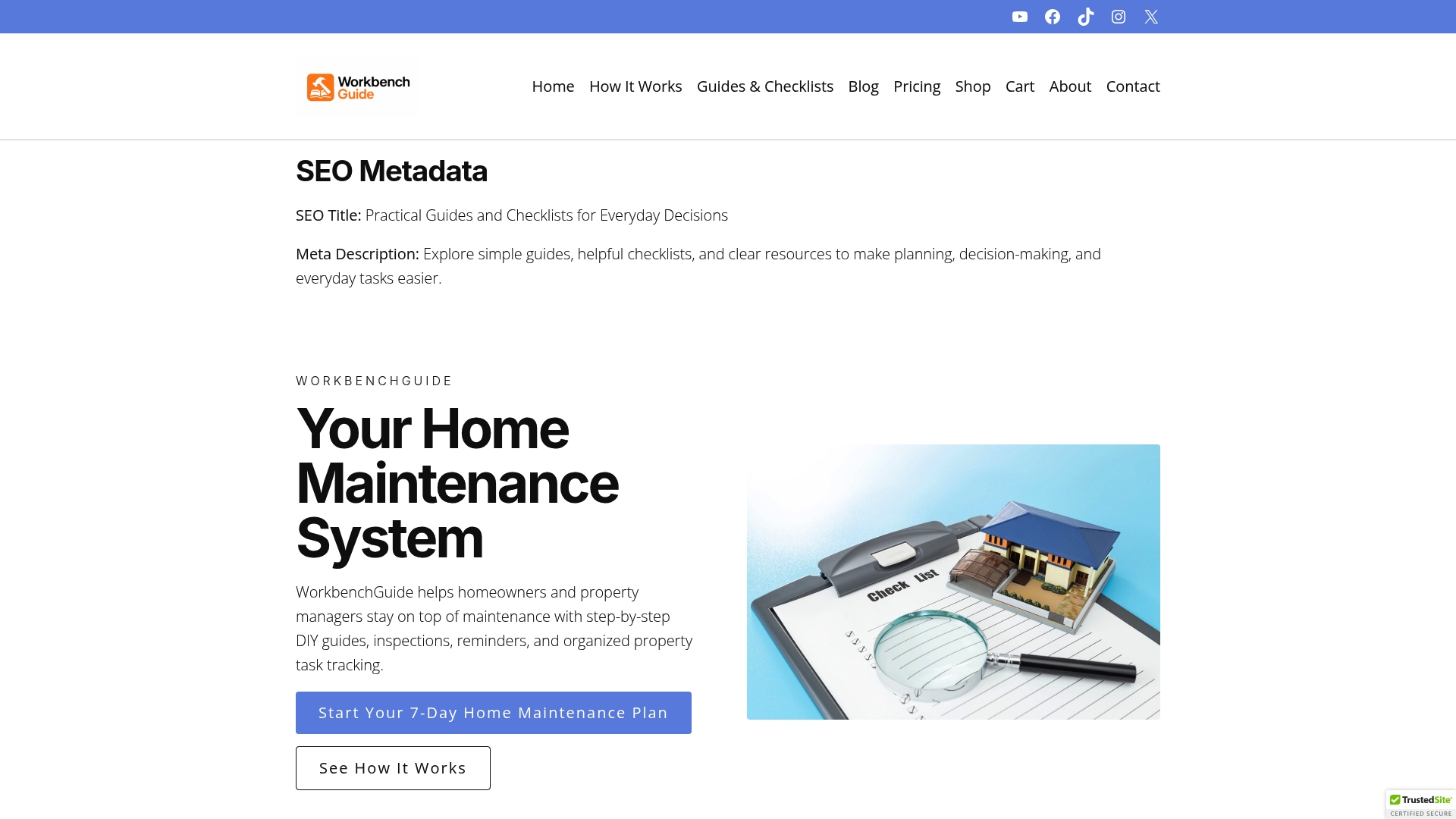
Plans start at $7/month and scale up to $99/month for large property management companies. This pricing makes the service accessible to a single homeowner and to professional managers. The product combines maintenance reminders, inspection checklists, and contractor written guides into one property system.
Core Features
Guided DIY maintenance and repair instructions are written by professionals and presented as clear, step by step procedures that match common household tasks. Customizable maintenance schedules support recurring tasks and link to routine inspection checklists that preserve inspection history. Task management stores notes and photos, and organization tools keep warranties, property records, and key details grouped by property.
Key Differentiator
WorkbenchGuide was developed from real world contractor experience, and that practical background shapes the content and workflows. The guides read like instructions a licensed contractor would give on site. That origin makes the guidance specific to real repairs rather than abstract maintenance lists.
Pros
The product makes scheduled upkeep easier by tying maintenance schedules to reminders and inspection records, so tasks do not disappear from view. Its inspection checklists include history tracking, which helps document recurring issues and verify completed work. The task management area accepts photos and notes, which speeds handoffs during tenant turnovers and creates a usable repair history for each property.
Cons
- Requires active user engagement to realize benefits; passive setup without regular use limits the value you get.
Who It’s For
Homeowners who want to protect a single property with a clear maintenance plan will find the tool practical. Landlords can use it to document repairs across rental units and speed tenant turnover. Property managers maintaining multiple properties will use the stored histories and checklists to coordinate vendors and track recurring tasks.
Unique Value Proposition
The platform pairs contractor written instructions with documented maintenance histories and automated reminders. That pairing turns tactical repair steps into an auditable workflow you can hand to a contractor or a tenant. For property managers, this reduces guesswork during inspections and creates a chronological maintenance record for each asset.
Real World Use Case
A property manager schedules seasonal inspections across a portfolio and assigns tasks with photos and notes. Technicians upload repair photos and the manager records completion dates in the inspection history. The result is a clear maintenance trail that simplifies tenant move outs and supports faster repairs.
Pricing
Pricing varies by plan. Plans start at $7/month for a single homeowner and rise to $99/month for large property management companies.
Website: https://workbenchguide.com
HomeZada
At a Glance
HomeZada offers co branded platforms for real estate, mortgage, insurance, and property service providers alongside homeowner tools. The vendor highlights AI driven insights and a visual design AI for remodeling visualization. The product also ties inventory, maintenance, project planning, and financial tracking into a single homeowner workflow.
Core Features
HomeZada centralizes home inventory with photos and document storage and pairs that with maintenance scheduling and automated reminders. The platform adds homeowner AI for personalized recommendations and a visual design AI to preview remodel ideas while keeping projects and budgets organized. Multi property management and financial tracking link everyday tasks to long term value planning.
Key Differentiator
HomeZada mixes homeowner AI with co branded professional portals so homeowners and service providers share a common set of records and workflows. That mix positions it less like a simple task tracker and more like a single place for record keeping, client handoff, and project planning. Professionals can use the same platform to deliver branded services to clients.
Pros
Users report the product is easy to set up and use and the interface keeps inventory, maintenance, and budgets in one place. The combination of inventory with photo and document storage helps when preparing insurance claims or compiling resale records. The AI driven recommendations and the visual design preview reduce guesswork when planning remodels and translate plans into budget items.
Cons
- Pricing is not clearly listed on the website. This makes budget planning harder before signup.
- The site gives limited detail about integrations with third party home systems or apps. You may need additional tools to connect smart devices.
- The product description does not state whether a mobile app or offline capabilities exist. That gap affects users who need field access.
When It May Not Fit
If you need transparent pricing before evaluating a platform, this product may frustrate you. If your setup depends on direct smart home integrations, this may require extra connectors or workarounds. If field access via a mobile app or offline use is critical, pick a tool that lists those features explicitly.
Who It’s For
Homeowners who want a single system to track inventory, maintenance, projects, and home finances will find this approach useful. Property professionals who want co branded portals for clients can use the platform to share records and project plans. Investors managing multiple properties can also benefit from the multi property tracking capabilities.
Real World Use Case
A homeowner inventories possessions with photos and important documents, then links each item to maintenance dates and warranty papers. The homeowner uses the visual design AI to mock up a kitchen remodel and adds cost estimates to the project budget. When an insurance claim is needed the organized records and photos speed the process.
Pricing
Pricing is not specified on the website. The vendor mentions promotional discount codes, so costs appear to come from subscription plans sold through the site or partners. Expect to contact sales for exact tiers and trial options.
Website: https://homezada.com
Homer

At a Glance
Generates accurate floor plans via phone scanning. The app acts as a digital home binder that stores manuals, warranties, receipts, and valuations for each property. It pairs automated document recognition with proactive reminders for maintenance and renovation tasks.
Core Features
Homer lets you store and organize manuals, warranties, receipts, and other home documents in one place while tracking inventory, expenses, and home valuations. The app creates and manages task lists and reminders, and it can generate floor plans from phone scans. An AI powered Helper Bot assists with tips, information retrieval, and basic automation.
Key Differentiator
Homer centers on AI powered automatic organization that interprets documents and ties them to the right home and room. That focus reduces manual filing and speeds up retrieval for renovation projects, warranty claims, and handover packets for future owners.
Pros
Homer reports high user satisfaction and ratings in 2025. The app combines a broad set of homeowner features with AI assistance and automatic recognition to cut the time you spend documenting repairs. Secure, cloud based storage with encryption protects uploaded documents, and the app supports multiple languages on iOS and Android. The built in floor plan scanning and the Helper Bot are useful when you need faster documentation for a remodel.
Cons
-
Limited to single home and household use. The app is not designed for managing large rental portfolios or dozens of units.
-
Premium features require a subscription or one time purchase. Advanced tools are behind paywalls.
-
Extensive features can feel complex at first. New users may need a few sessions to find a comfortable workflow.
When It May Not Fit
If you manage scores of rental units or operate as a commercial property manager, Homer will feel narrow. The app depends on your phone camera for scanning and photo recognition, so older devices will reduce accuracy. Teams that need advanced multi user access and bulk property reporting will find the feature set limited.
Who It’s For
Homeowners who want a single, digital place for manuals, warranties, receipts, and maintenance schedules will get the most from Homer. People planning renovations benefit from the floor plan scans and the task reminders. Owners who prefer mobile first workflows and AI assisted search will find the app aligns with their habits.
Real World Use Case
A homeowner uses Homer to collect contractor invoices, store warranty PDFs, and set recurring reminders for HVAC and gutter maintenance. The homeowner scans rooms with a phone to produce a floor plan for contractors. The Helper Bot then pulls the right manuals when a repair is scheduled.
Pricing
Homer is free to use with core features available at no cost. Premium features are offered via subscription or a one time purchase for specific upgrades. Exact tiers and pricing are available on the vendor site.
Website: https://homer.co
HomeLedger

At a Glance
An on-board AI assistant named Joe gives instant answers to inspection and maintenance questions. The system ties invoicing and payments directly to work orders, so records and billing stay linked. HomeLedger also supports multiple properties and teams, which helps firms keep consistent history across listings.
Core Features
Standardized inspection workflows combine checklists, photos, and notes into a single record that teams can reuse. Invoicing and payments management connect directly to work orders while maintenance task tracking handles recurring items across multiple properties. The platform stores warranties and service history and includes secure messaging for team and client communication in app or in exported reports.
Key Differentiator
HomeLedger centers its design on a home’s data, using that structure to automate task organization and reporting. The built in AI assistant applies that data to answer questions and pull up history on demand. That approach shifts work from manual file hunting to query driven retrieval.
Pros
HomeLedger organizes service history and warranties so you can find past invoices and guarantees quickly. It supports multiple properties and teams, which makes handoffs between technicians and property managers cleaner. Invoicing tied to work orders reduces reconciliation time and preserves an audit trail. Secure messaging keeps client conversations inside the platform instead of scattered across email and text. The AI assistant speeds common lookups and helps nontechnical staff find the right record.
Cons
- Some third party reviews report the interface feels complex at first, which raises the learning curve.
- The feature set is mainly digital, so less tech savvy homeowners may need time to adapt.
- Pricing is billed per seat, which may be costly for very small operations.
When It May Not Fit
If you prefer paper records or simple spreadsheets, HomeLedger may add unnecessary complexity. Small solo operators with tight budgets may find seat based billing expensive. Implementing standard workflows and importing property history requires setup time and process changes.
Who It’s For
Homeowners who want organized records, scheduled maintenance tracking, and searchable service history will benefit. Property managers and home service professionals who run inspections, assign technicians, and invoice clients will find the platform aligned to their workflows. Home watch operators who must produce regular reports will also get value from structured inspections and photo evidence.
Real World Use Case
A property management company uses HomeLedger to standardize its inspection checklist across sites and to attach photos to each reported issue. Technicians receive work orders with linked invoices and return history, which shortens follow up cycles. Clients get clear reports and a searchable archive of past repairs and warranties.
Pricing
Pricing is billed per seat for team members, and early adopter discounts are available. Detailed public pricing is not listed. Contact the vendor for current seat pricing and discount terms.
Website: https://homeledger.app
Comparison of alternatives
When selecting a home management platform, factors such as the scale of property management, advanced features offered, and ease of use are. Each platform analyzed here excels in specific aspects, which makes them suitable for different user needs.
Maintenance and guidance quality
WorkbenchGuide provides contractor-grade DIY instructions for household maintenance and repair tasks, a feature making it distinctive. Its methodology, drawn from real-world contractor experience, ensures practical and guidelines for both everyday homemakers and property management professionals. Comparatively, HomeZada combines the homeowner’s view with AI-assisted remodeling visualization, straddling inventory and financial tracking.
Scaling management needs
When considering multi-property management, HomeLedger excels, offering inspection workflows and integrated invoicing, which directly connects maintenance activities with financial operations—a key benefit for property managers. On the other hand, Homer shines when consolidating warranties, receipts, and home-related documents, paired with mobile-first workflows and practical inventory utilities.
Best fit
- Single-property owners seeking detailed contractor-style guidance can benefit greatly from WorkbenchGuide.
- Managers handling extensive multi-unit properties and requiring integrated financial management will find HomeLedger particularly useful.
- Mobile-first users valuing digitized document organization alongside floor plan capabilities will prefer Homer.
- DIY homeowners wanting a broad platform inclusive of home inventory and project tracking features might align with HomeZada.
Our pick
For those emphasizing practical contractor-quality repair and maintenance guidance, WorkbenchGuide uniquely delivers valuable step-by-step workflows tailored to real-world needs. While platforms like HomeLedger focus on scaling and billing, or Homer emphasizes mobile accessibility, single-property managers who value detailed maintenance plans will find WorkbenchGuide unbeatable.
By comparing the offerings of key home management software solutions, users can identify the platform that best addresses their property maintenance and organizational needs.
| Product | Key Highlight | Unique Differentiator | Pricing | Limitation |
|---|---|---|---|---|
| Workbenchguide | Maintenance schedules with reminders | Contractor-written repair instructions | $7–$99/month | Requires regular use for maximum value |
| HomeZada | Centralized inventory and AI recommendations | Co-branded portals for professionals | Price not published | Limited detail on integrations and mobile capabilities |
| Homer | Digital home binder with AI support | AI-powered document organization | Free with paid premium features | Limited to single-home use and may feel complex initially |
| HomeLedger | Integrated invoicing and maintenance tasks | AI assistant for instant data retrieval | Price not published | Interface complexity and seat-based billing may increase costs |
Finding the Right Alternative for HomeManager.io Challenges
Many homeowners and property managers face difficulty keeping up with maintenance schedules and documentation. The article highlights key concerns like the need for detailed, contractor-based repair instructions and clear maintenance histories. Workbenchguide answers those needs by offering step-by-step DIY guides, comprehensive inspection checklists, and smart maintenance reminders all in one platform. This makes it easier for homeowners and landlords to avoid costly repairs and keep organized with a trustworthy workflow.
If your goal is to protect one or multiple properties with practical upkeep plans and expert advice, explore how Workbenchguide supports your tasks. Get started by visiting the site and try managing your home maintenance schedules and checklists with confidence today.
FAQ
How does Workbenchguide simplify property maintenance scheduling?
Workbenchguide effectively simplifies property maintenance scheduling by linking maintenance schedules to automated reminders and inspection records. This integration ensures that tasks remain visible and organized, making it easier for homeowners or property managers to maintain their properties. Users can expect a streamlined approach to managing routine upkeep and staying on top of essential tasks.
What is the difference between Workbenchguide and HomeZada?
HomeZada excels in co-branded platforms for professionals, allowing real estate, mortgage, and insurance providers to offer a shared experience to clients. Workbenchguide, on the other hand, focuses specifically on guided DIY maintenance with practical contractor-written instructions directly correlating to real household tasks. Users looking for contractor-driven guidance may find Workbenchguide more beneficial for hands-on management of maintenance tasks.
Which platform offers the best features for property documentation?
HomeZada centralizes home inventory with photos and document storage, making it easier for users to prepare for insurance claims or resale. Workbenchguide also provides substantial documentation features, including maintenance histories and inspection checklists, but it specifically emphasizes guidance tailored to actual repair procedures. Users should choose based on whether they prioritize inventory management or detailed maintenance instructions.
Can users rely on automated reminders with Workbenchguide for timely maintenance?
Yes, users can rely on automated reminders offered by Workbenchguide to keep track of their maintenance schedules. This feature helps property owners avoid missing crucial tasks, facilitating timely upkeep of their homes. Users aiming for organized management of property maintenance will benefit from this functionality.
What are the costs associated with Workbenchguide compared to its competitors?
Workbenchguide’s pricing starts at $7 per month for individual homeowners, scaling to $99 per month for larger property management companies. While competitors like HomeZada do not list their pricing online clearly, this transparency in Workbenchguide’s pricing might be appealing for users seeking budget-friendly management solutions. Users should consider their property size and specific needs when evaluating costs.