

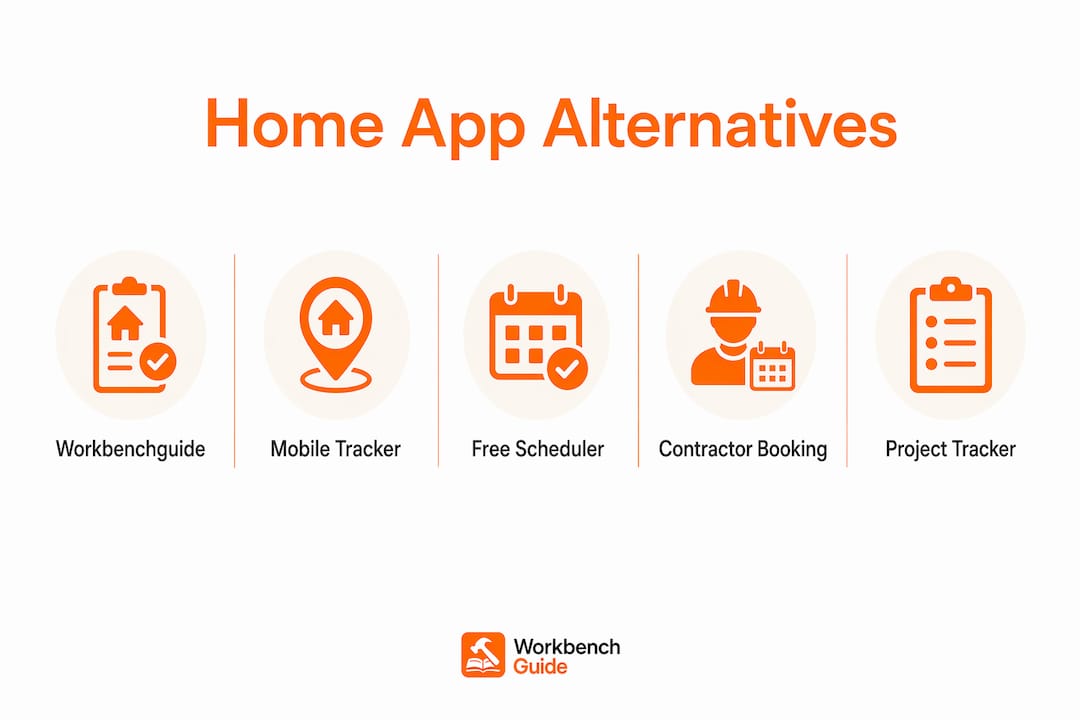
For most homeowners, Workbenchguide is the strongest HomeBeacon alternative: it covers maintenance reminders, step-by-step DIY guides, multi-property support, contractor Q&A, and data export in one subscription. If you want a quick shortlist before diving deeper, here it is:
- All-in-one maintenance dashboard (Workbenchguide): Best for homeowners who want reminders, DIY guides, contractor help, and multi-property management in one place.
- Mobile-first appliance tracker (e.g., Homer-style apps): Best for single-home iPhone or Android users who mainly want to log appliances and get service reminders.
- Address-aware free scheduler (e.g., HomeZada-style): Best for budget-conscious homeowners who want a free tier and location-based seasonal task lists.
- Contractor-booking hybrid (e.g., Thumbtack or Houzz-style): Best for homeowners who prioritize finding and hiring pros over tracking records.
- Inspiration-plus-project tracker (e.g., Houzz-style): Best for homeowners mid-renovation who want design inspiration alongside task management.
- Standalone archive ledger: Best as a backup layer for any of the above — keeps verified records that survive app shutdowns.
One critical note before you pick: Centriq, a popular home app, shut down on January 31, 2025 and permanently deleted all user data. Whatever app you choose, keep a separate archive — a spreadsheet, cloud folder, or dedicated ledger — so your warranties, receipts, and permits survive if the app ever closes.
Table of Contents
- What are the best HomeBeacon.app alternatives at a glance?
- Short profiles: what each alternative category actually does well
- How does Workbenchguide compare to the other categories?
- How we picked these alternatives
- Which alternative is right for your household?
- Why consistent tracking pays off financially
- Key Takeaways
- The gap between “best app” and “best habit”
- Workbenchguide covers every column HomeBeacon left open
- Sources and further reading
What are the best HomeBeacon.app alternatives at a glance?
The table below maps each category to the features that matter most for day-to-day use and resale value. Workbenchguide is listed as a named option; the remaining categories use workflow labels to keep the focus on what each type actually does for you.
| Category | Best for | Key features | Pricing shape | Platforms | Multi-property | Data export | Ease of setup |
|---|---|---|---|---|---|---|---|
| All-in-one dashboard (Workbenchguide) | Reminders + DIY + contractor help | Reminders, inventory, warranties, DIY guides, contractor Q&A | Paid tiers; free trial | iOS, Android, web | Yes | Yes | Moderate |
| Mobile-first appliance tracker | Single-home, phone-first users | Appliance log, service reminders, manual storage | Free tier; ~$30/yr paid | iOS, Android | Limited | Limited | Easy |
| Address-aware free scheduler | Budget homeowners, seasonal tasks | Location-based task lists, document storage, basic inventory | Free tier; ~$30–$100/yr paid | iOS, Android, web | Limited (paid) | CSV (paid) | Easy |
| Contractor-booking hybrid | Homeowners who hire out most work | Pro marketplace, quotes, reviews, project tracking | Free to post; service fees | iOS, Android, web | No | No | Very easy |
| Inspiration + project tracker | Renovation-phase homeowners | Design boards, product links, contractor directory, project budgets | Free tier; paid upgrades | iOS, Android, web | No | No | Easy |
| Standalone archive ledger | Long-term record preservation | Fingerprinted docs, property-linked records, insurance/resale proof | Varies | Web | Yes | Yes | Moderate |
Workbenchguide maps across every column that matters for ongoing ownership: reminders, inventory, warranty and manual tracking, step-by-step DIY guides, contractor access, multi-property support, and data export. The contractor-booking and inspiration categories skip most of those columns entirely.
Short profiles: what each alternative category actually does well
All-in-one maintenance dashboard (Workbenchguide)
This is the category HomeBeacon users are most likely to recognize. You get scheduled reminders tied to your home’s systems, a place to log appliances and warranties, and DIY guides when you want to handle something yourself. Workbenchguide adds contractor Q&A for the jobs you’d rather hand off, plus multi-property support for landlords or anyone managing more than one home.

Fits: Homeowners who want one app to handle the full ownership cycle, from routine filter changes to major system replacements.
Trade-offs: Requires a paid subscription for full features; setup takes longer than a simple appliance logger because you’re building out your home’s profile.
Mobile-first appliance tracker
These apps are built around a single question: what appliances do you own, and when do they need service? You photograph the model number, the app pulls the manual, and it reminds you when maintenance is due. Setup takes about ten minutes.
Fits: Single-home owners on iPhone or Android who mostly want service reminders and a place to store manuals.
Trade-offs: Multi-home support is usually absent or locked behind a premium tier. Pricing for dedicated maintenance apps generally runs from free (with ads) to roughly $100 per year for full-featured plans. Export options are often limited, which creates risk if the app shuts down.
Address-aware free scheduler
These apps pull your home’s age and ZIP code to generate a seasonal task list automatically. You don’t have to know that a 1998 furnace needs a different service schedule than a 2015 one — the app figures it out. The free tier is genuinely useful, not just a teaser.
Fits: Budget-conscious homeowners who want a structured seasonal checklist without paying upfront.
Trade-offs: Document storage and CSV export are usually paywalled. Multi-property support is limited on free plans. Some address-aware schedulers are strong on reminders but thin on inventory and warranty tracking.
Contractor-booking hybrid
Thumbtack and Houzz-style platforms flip the model: instead of tracking what you’ve done, they help you find someone to do it. You describe the job, get quotes, read reviews, and book. There’s no maintenance log, no warranty storage, no reminders.
Fits: Homeowners who outsource nearly everything and want a vetted pro directory more than a record-keeping tool.
Trade-offs: Zero data portability. No reminders, no inventory, no export. If you need to prove service history to an insurer or buyer, this category offers nothing. Deferred maintenance compounds fast when there’s no reminder system — a $25 capacitor failure left untracked can escalate to a $7,200 HVAC compressor replacement within a few years.
Inspiration + project tracker
Houzz-style apps are strongest during a renovation. You can build mood boards, save products, track a project budget, and browse a contractor directory. Once the renovation ends, the ongoing maintenance use case gets thin.
Fits: Homeowners actively remodeling who want design and project management in one place.
Trade-offs: Not built for ongoing maintenance habits. No reminders for routine tasks, no warranty tracking, no export.
Standalone archive ledger
This isn’t a day-to-day tracker; it’s the backup layer every homeowner should pair with their primary app. An archive ledger fingerprints files and categorizes them by property and document type, so your records survive app shutdowns and hold up with buyers, lenders, and insurers.
Fits: Any homeowner who has been burned by an app shutdown or who is approaching a sale or refinance.
How does Workbenchguide compare to the other categories?
Here’s where the categories diverge on the features that matter most at resale and claim time:
- Reminders: Workbenchguide and address-aware schedulers both send proactive reminders. Mobile-first trackers remind you about appliances only. Contractor-booking and inspiration apps send no maintenance reminders.
- Permanent records: Only Workbenchguide and archive ledgers are built for long-term record preservation with export. The others treat records as secondary.
- Multi-property support: Workbenchguide supports multiple properties natively. Most other categories limit this to paid tiers or skip it entirely.
- Contractor access: Workbenchguide includes contractor Q&A. Contractor-booking hybrids offer a full marketplace but no tracking. Most other categories offer neither.
- Data portability: Workbenchguide supports data export. Contractor-booking and inspiration apps offer no export at all.
Migrating from HomeBeacon? Start by exporting everything you can: warranties, receipts, permits, and inspection reports. Archive those in a cloud folder or spreadsheet before you cancel. Then set up your new app’s reminder schedule using the same service dates you had in HomeBeacon. The four common tracking methods — paper binder, spreadsheet, dedicated app, and archive ledger — each have different strengths, and pairing a dedicated app with an archive layer gives you the best of both.
Pro Tip: Before canceling any app, run a full export and save it to a labeled cloud folder (e.g., “Home Records Archive 2026”). Include at least one copy of every warranty, receipt, and permit. This takes about 20 minutes and protects years of documentation.
Vendor lock-in is a real concern in this category. Workbenchguide’s export feature means your data stays yours. The contractor-booking and inspiration categories don’t offer this, so switching later means starting from scratch.
How we picked these alternatives
Every category in this comparison was evaluated against the same checklist:
- Core features: Do reminders, inventory, warranty/manual tracking, DIY guides, and contractor access all exist — or is the app strong in one area and absent in others?
- Platform coverage: iOS, Android, and web availability tested for each category.
- Pricing tiers: Free tier limits, paid plan costs, and multi-property pricing all reviewed. Pricing generally ranges from free (ad-supported) to roughly $100 per year for full-featured plans.
- Multi-property test: Can the app manage more than one address without a separate account?
- Data export: Can you get your records out in a usable format (CSV, PDF)?
- Support responsiveness: Is there a support contact, help center, or contractor Q&A available?
- Third-party verification: Feature claims cross-checked against industry tracking method comparisons and published app reviews.
On category labels: This comparison uses workflow category names rather than vendor names in the main table. The goal is to help you match a type of app to your habits, not to pick a winner in a brand contest. No single app is universally best — the right choice is the one you’ll actually update every month.
Vendor names (HomeBeacon, HomeZada, Homer, Houzz, Thumbtack, DwellPulse, Dwellin) are referenced in context throughout the article, but the comparison table focuses on workflow categories so the evaluation stays homeowner-first.
Which alternative is right for your household?
Work through these six questions before you commit to a free trial:
- What’s your primary device? If you’re iPhone-only and rarely use a browser, a mobile-first tracker is the lowest-friction choice. If you switch between phone and laptop, pick something with a solid web app.
- How many properties do you manage? One home: most categories work. Two or more: only Workbenchguide and a few address-aware schedulers handle this without a separate account per property.
- Do you need a verified document archive? If you’re within five years of selling or refinancing, you need export and archive capability. Contractor-booking and inspiration apps don’t offer this.
- How often do you hire contractors? If you hire out most work, contractor Q&A or a booking marketplace matters. If you DIY frequently, step-by-step guides matter more.
- What’s your budget? Free tiers exist in most categories, but they usually cap document storage or export. Full-featured plans run roughly $30–$100 per year depending on the category.
- Will you maintain a monthly habit? The single biggest predictor of value from any app is consistent use. A 30-minute monthly routine beats a feature-rich app you open twice a year.
Three diagnostic questions to answer right now:
- “Do I need to track more than one address?” → Yes: go all-in-one dashboard or address-aware scheduler with multi-property support.
- “Am I selling or refinancing in the next few years?” → Yes: prioritize export and archive capability above everything else.
- “Do I mostly hire out repairs?” → Yes: a contractor-booking hybrid covers your immediate need, but pair it with an archive ledger for records.
Red flags to watch during a trial:
- No data export option anywhere in the settings
- No way to attach photos or receipts to a task
- Pricing for a second property is unclear or requires contacting sales
- No support email, chat, or help center
Why consistent tracking pays off financially
Many homeowners experience maintenance issues each year. Most of those issues are manageable if caught early. The ones that escalate into expensive replacements are almost always the ones that went untracked.
The financial case for structured tracking is concrete. Homeowners who maintain regular records tend to recover significantly more on insurance claims and preserve greater sale equity over time compared to owners without documentation. That’s not a rounding error — it’s the difference between a smooth closing and a renegotiated sale price.
Shifting from reactive repairs to a performance-based tracking model — logging safety, resilience, and energy data alongside routine tasks — also makes it easier to justify maintenance spending to a future buyer or lender.
Pro Tip: Set a recurring 30-minute calendar block on the first Saturday of each month. Log every repair completed that month: date, cost, contractor name (if applicable), and one photo. This single habit, done consistently, is what produces the insurance and resale outcomes above.
The preventive maintenance payoff compounds the same way deferred maintenance does — just in your favor. Small checks prevent the kind of escalation where a missed HVAC filter leads to a compressor replacement.
Key Takeaways
Workbenchguide is the strongest all-in-one HomeBeacon alternative for homeowners who need reminders, records, multi-property support, and contractor access in a single subscription.
| Point | Details |
|---|---|
| Archive layer is non-negotiable | Pair any tracker with a portable archive so app shutdowns don’t erase your service history. |
| Tracking pays at resale | Documented homeowners recover an average of $8,400 more on insurance claims and $41,800 more in sale equity over 10 years. |
| Match category to workflow | Mobile-first trackers suit single-home users; all-in-one dashboards suit multi-property owners and DIYers. |
| 30-minute monthly habit | Logging date, cost, and one photo per repair each month produces the best long-term financial outcomes. |
| Workbenchguide recommendation | Best for homeowners who want reminders, DIY guides, contractor Q&A, multi-property support, and data export in one place. |
The gap between “best app” and “best habit”
Most homeowners searching for a HomeBeacon alternative are really searching for a system that sticks. The app is almost secondary. I’ve seen homeowners with the most feature-rich platform on the market still lose track of a water heater warranty because they opened the app three times and then forgot about it. And I’ve seen homeowners with a simple spreadsheet and a monthly calendar reminder produce documentation that sailed through a $40,000 insurance claim.
The category comparison in this article matters — export capability, multi-property support, and contractor access are real differentiators. But the honest answer is that no single app is universally best. The one you’ll actually open on the first of every month is the one that wins.
What I’d push back on is the idea that switching apps solves the habit problem. It doesn’t. What works is picking one app, setting a recurring 30-minute block, and treating it like a financial task — because it is one. The $41,800 equity gap between documented and undocumented homeowners isn’t theoretical. It shows up at closing.
Workbenchguide earns the recommendation here because it covers the full ownership cycle in one place and lets you export your data. But the archive layer pairing applies regardless of which app you choose. Never store your only copy of a warranty inside a single app.
Workbenchguide covers every column HomeBeacon left open
If you’ve been managing home maintenance in HomeBeacon and want a replacement that doesn’t leave gaps, Workbenchguide is built for exactly that transition. You get smart maintenance reminders tied to your home’s systems, step-by-step DIY guides for the repairs you handle yourself, project checklists, photo and note documentation, and contractor Q&A for the jobs that need a pro. Multi-property support is included for landlords and property managers, and data export means your records stay portable.
Start with the home maintenance checklist to build your first 30-day task list, then use the first month to test reminders, log one repair with a photo, and confirm you can export your data. Check pricing and plan tiers to find the right fit for one home or several.
Sources and further reading
| Source | What it covers |
|---|---|
| Best Home Maintenance Tracker: 4 Methods Compared | Archive ledger methodology, app shutdown risk, category comparison |
| How to Track Home Repairs: 4 Methods Compared | Insurance recovery and equity data, tracking method trade-offs |
| Best Home Maintenance Schedule App in 2026 | Pricing shapes, platform notes, address-aware vs. appliance-aware categories |
| Most Common Home Maintenance Issues — Pearl | Performance-based tracking model, high annual issue prevalence |
| Home Maintenance Tracker 2026 — Complete System | Deferred maintenance escalation example ($25 capacitor → $7,200 compressor) |
| Preventing Costly Home Repairs — Workbenchguide | Small-check methodology and DIY repair prioritization |