
Keeping up with home maintenance across multiple properties quickly becomes chaotic when reminders, checklists, and expense records are trapped in isolated apps or not tailored to real-world repair workflows. Many home maintenance management tools either hide task guidance behind a paywall, lack contractor-vetted checklists, or stop short of combining maintenance schedules with inventory and budgeting features in a single interface. This head-to-head review covers guidance, reminder systems, inventory support, and payment structures for four alternatives so you can pick the home maintenance management platform that best fits your routines, budget, and detail needs.
Table of Contents
WorkbenchGuide
At a Glance
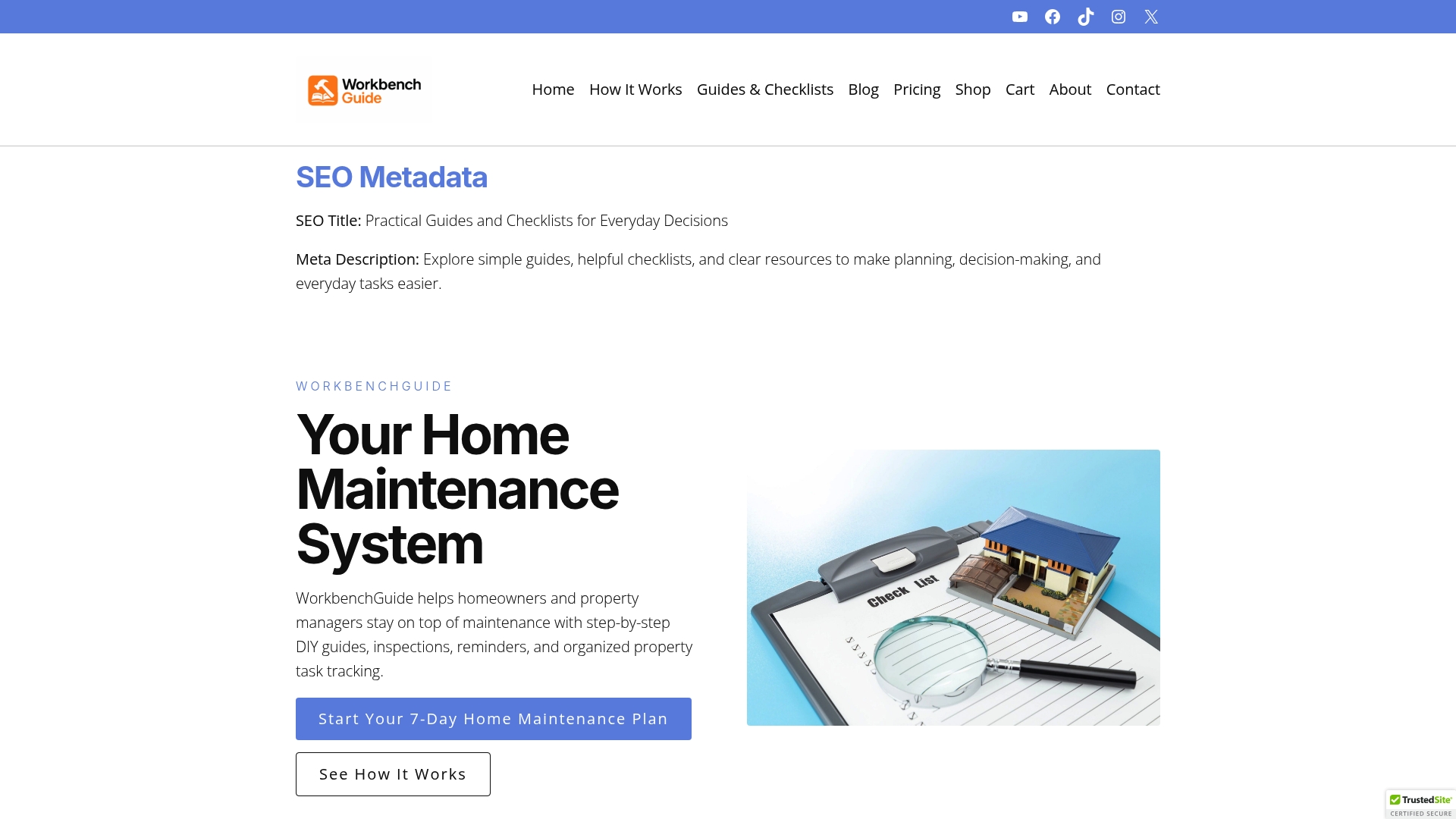
Created by a licensed contractor, WorkbenchGuide embeds real-world maintenance know-how into its workflows. That origin shows up in task notes, realistic checklists, and DIY guides that avoid theory and focus on what works on a job site.
- Contractor-created content that guides common repairs and inspections.
- Recurring schedules and property records for multiple homes or rentals.
Pick it if you want maintenance processes written by someone who’s done the work.
Core Features
WorkbenchGuide centralizes the practical pieces of property care so you can stop chasing paperwork and dates. The app groups guides, schedules, and records around each property and task.
- Step-by-step DIY guides with photos and notes to walk you through repairs.
- Maintenance scheduling with recurring tasks and reminders to avoid missed upkeep.
- Inspection checklists tailored to seasonal and routine needs.
- Task entries that accept photos, notes, and status updates.
Use the checklists to move inspections from guesswork to a repeatable process.
Key Differentiator
What separates WorkbenchGuide is that its guides and workflows were developed by a licensed contractor rather than a generic product team. That leads to checklists and task sequences that match real repair order and timing instead of abstract task lists.
The result is fewer surprises during inspections and clearer next steps when a repair is needed.
Pros
- Practical guidance reduces guesswork. The contractor perspective means checklists and DIY steps read like a field guide, not a textbook.
- Multi-property support keeps records for each address separately, which helps landlords and property managers who juggle several units.
- Reminders and recurring scheduling cut down on forgotten maintenance, lowering the risk of emergency repairs.
- Task entries accept photos and notes so you build a usable repair history for contractors or future inspections.
- The structured approach helps standardize recurring tasks across rentals, saving time during turnover.
Cons
- Pricing tiers range widely; starting costs may be a barrier for budget-conscious users who only need basic reminders.
Who It’s For
Homeowners who prefer a hands-on approach, landlords managing a few rentals, and property managers wanting a repeatable maintenance system will find the product useful. It fits people who will regularly log tasks and follow checklists rather than those who want fully automated device integrations.
Unique Value Proposition
The contractor-authored guides are embedded directly into scheduled tasks, so when a reminder arrives you can open the exact repair steps you need. That changes the work from searching for how to fix something to performing the fix with confidence and fewer calls to outside help.
This tight coupling of guidance plus schedule shortens the time between spotting an issue and resolving it.
Real World Use Case
A property manager consolidates maintenance schedules, inspection checklists, and repair logs for a ten-unit portfolio. Instead of piecemeal spreadsheets and emails, the team runs seasonal inspections from saved checklists and logs photos for every repair, reducing repeat visits and emergency calls.
Pricing
Plans start at $7/month for homeowners and scale up to $99/month for larger property management needs. Pricing varies by number of properties and feature set, so compare tiers against how many units you manage before committing.
Website: https://workbenchguide.com
HomeManager
At a Glance
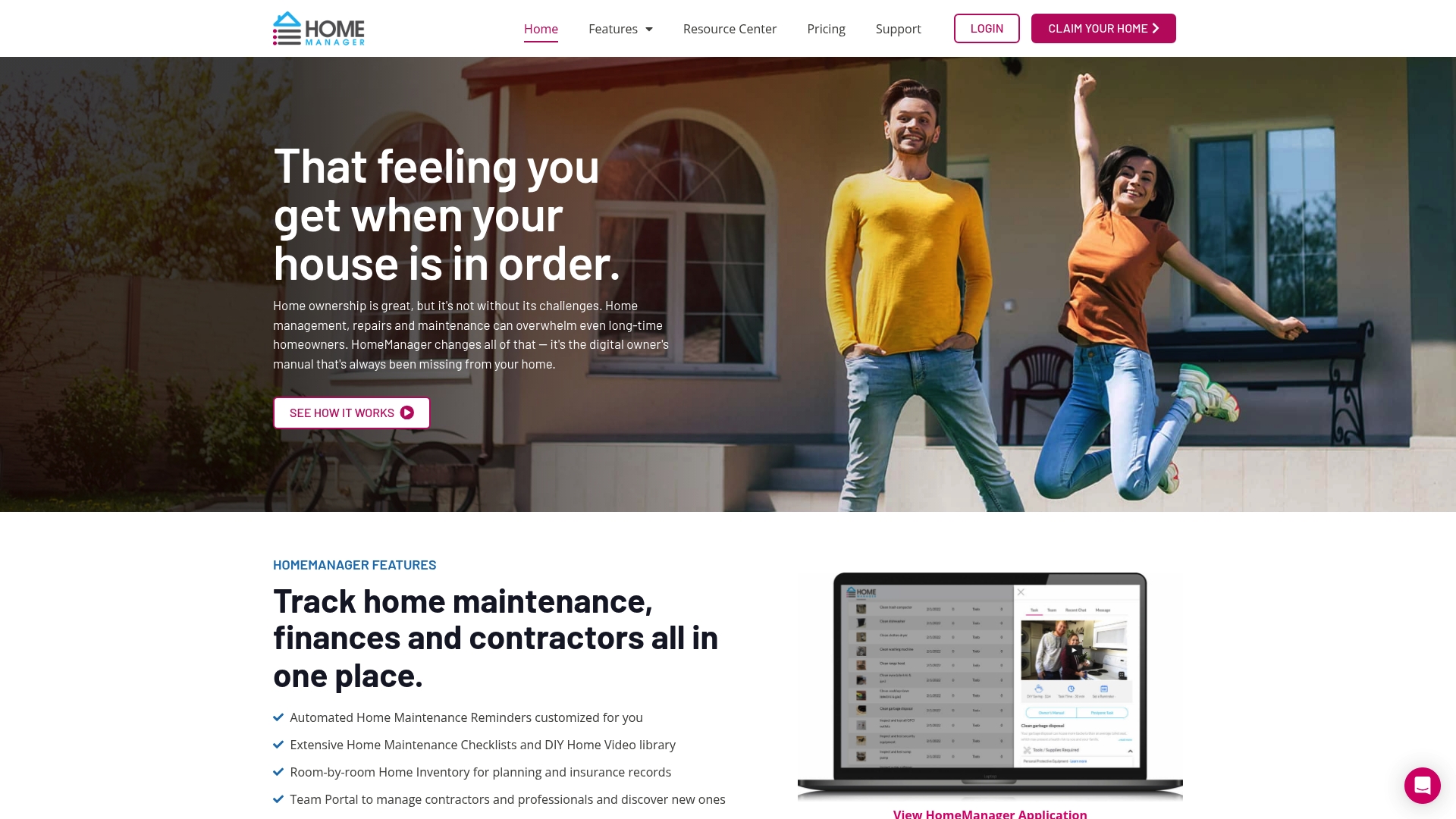
HomeManager offers a free basic plan and a HomeManager Plus upgrade at $8 per month or $80 per year. The app bundles maintenance reminders, an insurance-ready inventory, DIY videos, and a contractor portal aimed at keeping documents and service contacts in one place.
Core Features
- Automated maintenance reminders with customizable notifications and seasonal scheduling so tasks do not slip through the cracks.
- Extensive checklists paired with a DIY video library to guide common home tasks and simple repairs.
- Home inventory management that stores photos, video, and notes for insurance claims and resale planning.
- Financial summaries showing ownership costs and a replacement budget calculator to forecast future appliance and system expenses.
- HomeTeam contractor portal for managing service professionals and exchanging documents and job notes.
Key Differentiator
What separates HomeManager from single-purpose apps is the way reminders, inventory, financials, and contractor relationships live together. Having the contractor portal linked to scheduled tasks and an insurance-ready inventory reduces the friction of coordinating repairs and documenting claims.
Pros
- The free tier gives homeowners a low-friction way to start tracking maintenance and warranties without upfront commitment.
- The combination of checklists and a DIY video library helps confident DIYers complete routine tasks with fewer calls to contractors.
- HomeTeam contractor portal centralizes contacts and service history so you can find past receipts, warranties, and contractor notes quickly.
- The replacement budget calculator frames longer term costs, which helps planning for major appliance or system replacements over several years.
- Custom reminders and seasonal planning support steady preventive habits rather than ad hoc repairs.
Cons
- Public reviews and third-party validation are sparse, which makes it harder to judge long term reliability for high-stakes issues.
- Feature set is basic compared with professional property management platforms, so estate portfolios or large rental portfolios may outgrow it.
- Available descriptions do not deeply document the user interface or workflow, so real-world ease of use is unclear before you try it.
- The system depends on accurate user input for inventories and schedules, so results vary with the time you invest in setup.
When It May Not Fit
If you manage dozens of units or run large renovation projects, HomeManager’s core feature set may feel limited. Professional property managers who need tenant billing, batch scheduling, or advanced reporting will likely require a dedicated property management platform. If independent verification of uptime or support quality matters for commercial portfolios, the current paucity of third-party reviews is a valid concern.
Who It’s For
HomeManager fits homeowners who want a single place to keep maintenance reminders, manuals, and contractor contacts. First-time buyers setting routines will find the checklist and video guidance useful. Small landlords or single-property owners who prefer a simple digital manual will also benefit.
Real World Use Case
A homeowner uses HomeManager to schedule monthly HVAC filter replacements, store appliance manuals, and keep photos and receipts for a jewelry-scale home inventory. When a leak occurs, the homeowner pulls the inventory, shared contractor contact, and maintenance history to accelerate the repair and the insurance claim process.
Pricing
Free basic plan available. HomeManager Plus costs $8 per month or $80 per year and adds document storage, maintenance history tracking, and premium features. The vendor also offers gifting and annual discount options.
Website: https://homemanager.io
HomeKeep
At a Glance
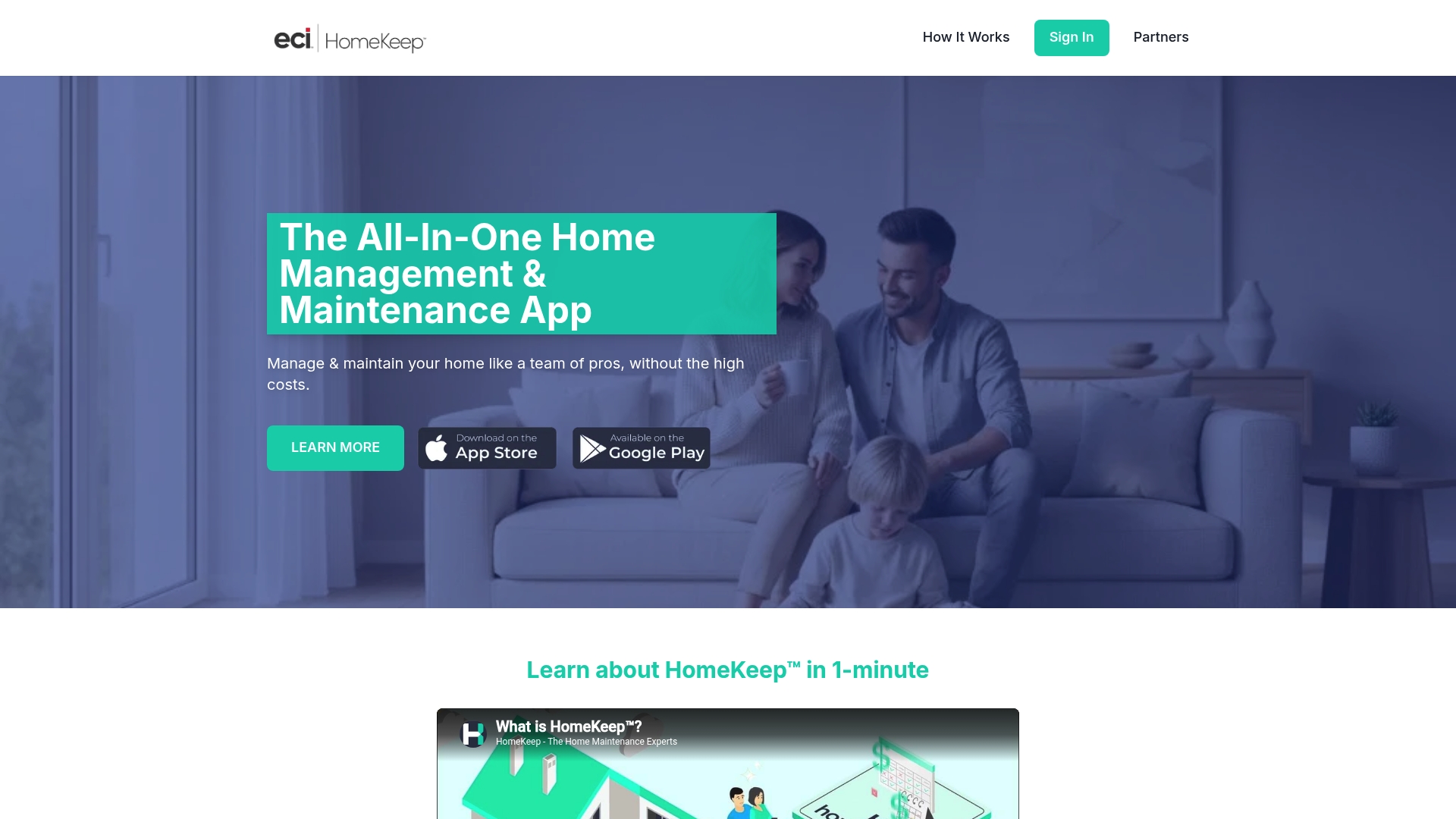
Free on iOS and Android, HomeKeep pairs step-by-step home maintenance guidance with document and inventory organization so homeowners can stop guessing what to do next. The app centers on scheduled reminders tied to the items you register.
Start by adding one appliance to see how reminders reduce missed maintenance.
Core Features
- Step-by-step maintenance guidance that walks you through seasonal and item-specific tasks.
- Organized home records and warranties for receipts, manuals, and service documentation.
- Home inventory management to track appliances, systems, and their details.
- Contact management for contractors and service providers, plus reminder alerts for scheduled tasks and services.
Use the mobile app to add items on the spot and set the first reminder in under two minutes.
Key Differentiator
HomeKeep’s angle is being an all in one home management app that blends organization, guided maintenance, and device-synced reminders into a single experience. That combined approach reduces the tracking friction that usually scatters records across email, paper, and photos.
If you prefer a central place for warranties, contacts, and recurring tasks, HomeKeep makes the bookkeeping feel manageable.
Pros
- Convenient document storage. You can attach warranties and receipts to specific items so paperwork is searchable when you need it.
- Practical reminders. Scheduled alerts tied to items help you do small maintenance before it becomes an emergency.
- Simple setup. The app is easy to use on mobile, which matters when you add new appliances during a home walkthrough.
- Helps protect property value. Keeping maintenance records in one place makes resale conversations smoother.
Add a few high-value items first and you’ll see the benefit within months.
Cons
- Limited integration details. The vendor does not list third-party partners, so automatic data syncing is minimal.
- Basic automation only. Reviews show the app relies on manual entry and lacks advanced conditional automations.
- Not designed for complex diagnostics. HomeKeep focuses on preventative tasks rather than troubleshooting multi-component failures.
When It May Not Fit
If you want automated system monitoring, push alerts from smart sensors, or advanced automation workflows, HomeKeep will feel too manual. Large properties with sophisticated HVAC, solar, or smart-home ecosystems will likely need a specialist tool.
Who It’s For
HomeKeep fits homeowners who want an affordable, straightforward way to organize warranties, inventory, and routine maintenance reminders. New homebuyers and owners working with builders or contractors will find the guided checklists especially useful.
Real World Use Case
A homeowner catalogs major appliances with purchase dates and warranty scans, then sets quarterly reminders for maintenance tasks. After following the reminders for a year, the homeowner avoided an emergency repair on the water heater and has documentation ready for a future buyer.
Website: https://homekeep.com
HavenLedgers
At a Glance
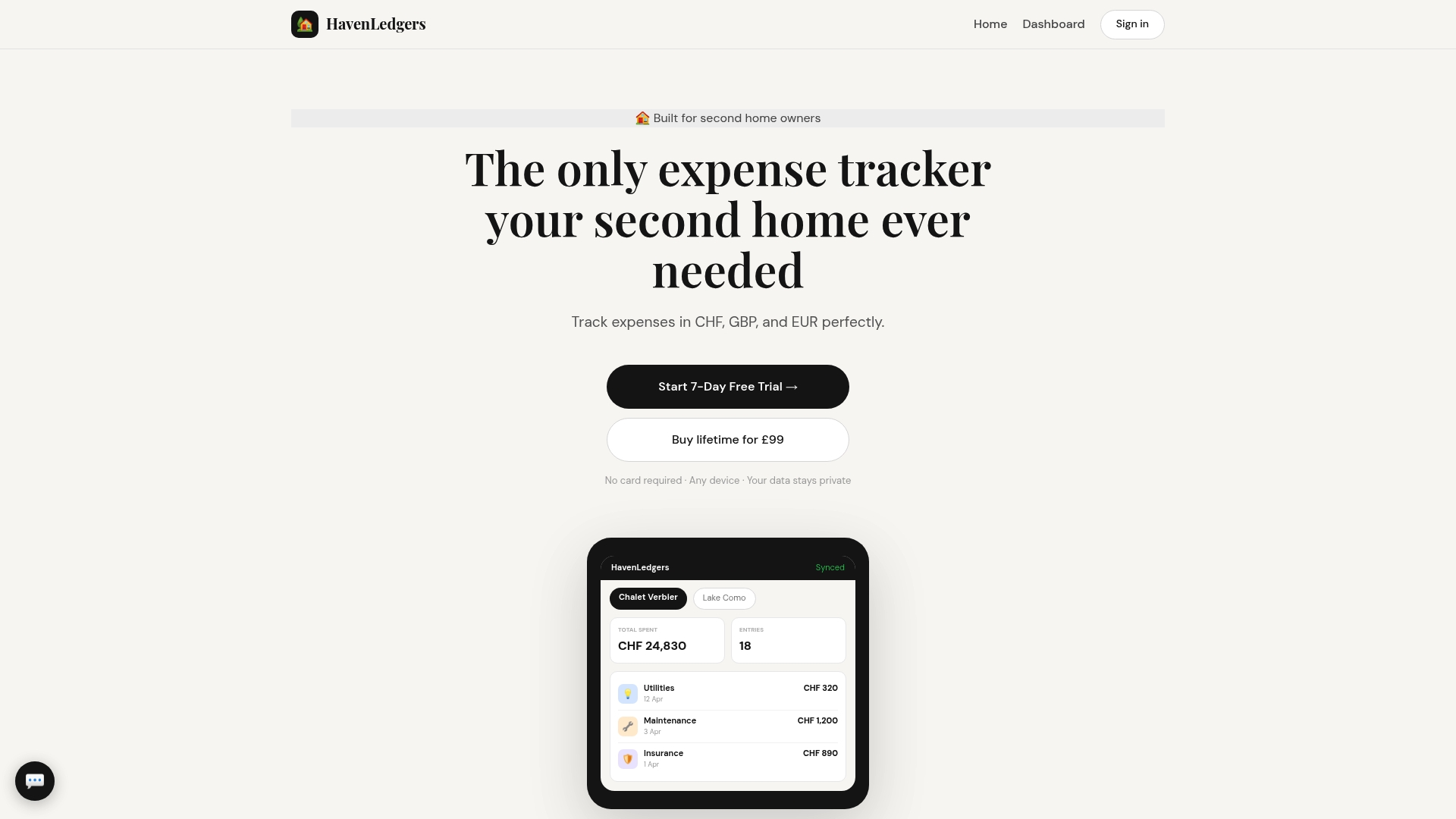
A single £99 one-time payment unlocks lifetime access plus cloud synchronization across multiple properties and currencies. That pricing model removes recurring fees for owners who split time between homes and need straightforward expense records rather than subscription complexity.
Core Features
HavenLedgers focuses on a compact set of tools that cover multi-property expense needs.
- Multi-currency expense tracking for logging costs in local currencies and viewing consolidated totals.
- Multiple property management so each home keeps its own ledger and combined reports remain easy to consult.
- PDF report exports for sharing tidy statements with accountants or mortgage services.
- Cloud backup and browser access make the app device agnostic without installations.
Key Differentiator
The product’s central claim is lifetime access via a one-off fee paired with automatic sync across devices and properties. That setup is aimed at owners who prefer paying once over subscribing annually and who want portable records for taxes or rental accounting.
Pros
A compact list of strengths, based on the vendor’s feature set and positioning.
- The one-time payment model eliminates subscription renewals and billing headaches for owners who rarely use software year to year.
- Built-in support for multiple properties and currencies simplifies bookkeeping when you own homes in different countries.
- PDF exports make handing records to an accountant quick and predictable without chasing CSV workarounds.
- Browser-based access means you can view ledgers from any device without installing apps, which helps during travel.
- Emphasis on data privacy with cloud sync reduces the friction of backing up records across locations.
Cons
Known shortcomings drawn from the available product information.
- Public feedback and third-party reviews are sparse, which makes external validation of usability and reliability difficult.
- The vendor provides limited detail on advanced features and no clear app ecosystem, so integrations with banks or bookkeeping tools are unclear.
- There is no mentioned subscription tier or ongoing support plan, which may leave buyers uncertain about future updates or help channels.
When It May Not Fit
If you rely on automatic bank imports, multi-account reconciliation, or an established integration ecosystem, HavenLedgers may feel too minimal. Teams or property managers who need shared multiuser permissions, audit trails, or vendor portals will likely outgrow it.
Who It’s For
Second home owners who want a simple, self-contained ledger for several properties and do not want recurring fees. Ideal when you need clear PDF reports for tax time and prefer a browser-accessible tool rather than a full accounting suite.
Real World Use Case
A UK owner with a French cottage and a Swiss chalet records expenses in euros and francs, syncs entries across laptop and phone, then produces monthly PDF summaries for a local accountant. That workflow replaces scattered receipts and manual currency conversion spreadsheets.
Pricing
The vendor lists a single purchase price of £99 one-time payment for lifetime access. There are no subscription tiers described and no mention of trials or refunds in the provided information.
Website: https://havenledgers.com
Comparing Home Maintenance Management Options
Selecting the right home maintenance management platform involves assessing practicality, usability, and value. We explore how WorkbenchGuide, HomeManager, HomeKeep, and HavenLedgers stack up in their unique offerings.
Practical Guidance for Repairs and Maintenance
WorkbenchGuide excels in providing DIY guides deeply rooted in real-world contractor experience. Its task lists and repair guides directly correspond to user needs during home maintenance. In contrast, HomeManager offers DIY videos that cater to tackling common repairs, making it a strong candidate for visual learners. HomeKeep streamlines setup by allowing users to start with just one appliance and expand gradually, which could appeal to new homeowners. For users seeking detailed and localized expense management, HavenLedgers offers support for multiple properties and currencies in a single log.
Cost Considerations and Value
When evaluating cost structures, HavenLedgers stands out with its one-time £99 fee, offering lifetime access without recurring charges, catering to budget-conscious property managers. On the opposite spectrum, WorkbenchGuide begins at $7/month, scaling to $99/month, aligning with broad feature sets designed for multi-property management. Meanwhile, HomeManager provides a free tier to introduce its platform to potential users, facilitating experimentation before subscribing to its $8/month plan. On the other hand, HomeKeep focuses on being a free app with optional services, making it an attractive choice for users prioritizing affordability.
Best Fit Scenarios
- WorkbenchGuide is recommended for property owners requiring structured and contractor-authored guidance to maintain multiple properties efficiently.
- HomeManager suits those who value accessible home maintenance videos and wish to centralize insurance and maintenance data affordably.
- HomeKeep meets the needs of new homeowners seeking a minimally invasive approach to organizing warranties and setting simple, itemized maintenance schedules.
- HavenLedgers is an excellent solution for property owners needing a one-time purchase solution designed for international multi-property financial management.
Our Pick
For dedicated property owners focused on minimizing maintenance surprises and maintaining detailed service records, WorkbenchGuide is an excellent match. Its professional-built systems offer reliability and practicality. Users needing broader automation or solution-specific integrations might find HomeKeep an appealing option.
Home Maintenance Management Comparison
Choosing the right home maintenance platform depends on balancing needs for practical workflows, user-friendly interfaces, and pricing.
| Product | Core Feature | Key Differentiator | Best For | Pricing | Notable Limitation |
|---|---|---|---|---|---|
| WorkbenchGuide | Step-by-step DIY guides and scheduling | Contractor-created for practical workflows | Homeowners and property managers | $7–99/month | Higher starting cost for small-scale needs |
| HomeManager | Maintenance reminders and inventory | Contractor portal integration | First-time buyers and small landlords | Free or $8/month | Sparse independent reviews |
| HomeKeep | Maintenance guidance and document storage | All-in-one home management experience | New homebuyers | Free | Basic automation and manual data entry |
| HavenLedgers | Multi-property expense tracking | Lifetime access with a one-time fee | Multi-homeowners | £99 one-time payment | Minimal automation and no subscription support |
Simplify Home Maintenance Beyond Havenledger.app Alternatives
If managing multiple homes or tracking expenses across currencies feels limited by havenledger.app alternatives, consider a more hands-on solution designed for homeowners who want practical maintenance guidance. Workbenchguide offers smart reminders, step-by-step DIY instructions, and detailed checklists crafted by a licensed contractor. This approach helps you avoid costly surprise repairs by providing clear action plans when issues arise.
Take control of your home’s upkeep with an organized system that combines scheduling, repair notes, and contractor help when needed. Visit Workbenchguide to start building a reliable maintenance routine today. Get started by exploring comprehensive guides and project checklists that empower you to handle repairs confidently and reduce emergency calls.
Frequently Asked Questions
How does Workbenchguide’s maintenance scheduling feature stand out?
Workbenchguide offers maintenance scheduling with recurring tasks and reminders to help you avoid missed upkeep. This feature is designed to centralize maintenance processes, making it easier to keep track of property care compared to competitors. Users can expect improved organization and fewer emergency repairs as a result.
What is the difference between Workbenchguide and HomeManager?
HomeManager provides a free basic plan along with a contractor portal that centralizes contacts and service history effectively. In contrast, Workbenchguide focuses on contractor-created checklists and step-by-step DIY guides that reduce guesswork for those who prefer hands-on tasks. If you’re a homeowner looking for practical guidance, Workbenchguide is a better fit despite HomeManager’s strengths in contractor management.
Which platform supports multi-property management most effectively?
Workbenchguide supports multi-property management by keeping separate records for each property, which is especially useful for landlords with several units. This specialized feature is a core strength that aids in organizing property care compared to other options that may not emphasize this capability. Consider using Workbenchguide if you manage multiple properties and need clear maintenance organization.
Can HomeManager help with insurance-related documentation?
HomeManager features extensive home inventory management that stores photos, videos, and notes for insurance claims. While Workbenchguide does not focus on inventory documentation, its contractor-created guides can help with maintenance tasks, making it a valuable resource for homeowners who want to balance documentation and practical guidance.
How does Workbenchguide ensure reliable inspection processes?
Workbenchguide includes tailored inspection checklists that move inspections from guesswork to a repeatable process. These checklists, developed by a licensed contractor, help standardize recurring tasks across rentals, providing users with confidence in their inspection routines. By choosing Workbenchguide, you can streamline your property inspections significantly.