

Every year brings fresh choices for those searching online for a reliable place to rent, buy, or sell a home. People are always looking for services that make the process faster, easier, and more trustworthy. With new solutions popping up and established brands changing their features, it is not always simple to know which options will fit your needs best. Some platforms focus on unique tools, others stand out for their support. Curious about which services are at the top of the list and what sets them apart from the rest? The answers may surprise you.
Table of Contents
WorkbenchGuide
At a Glance
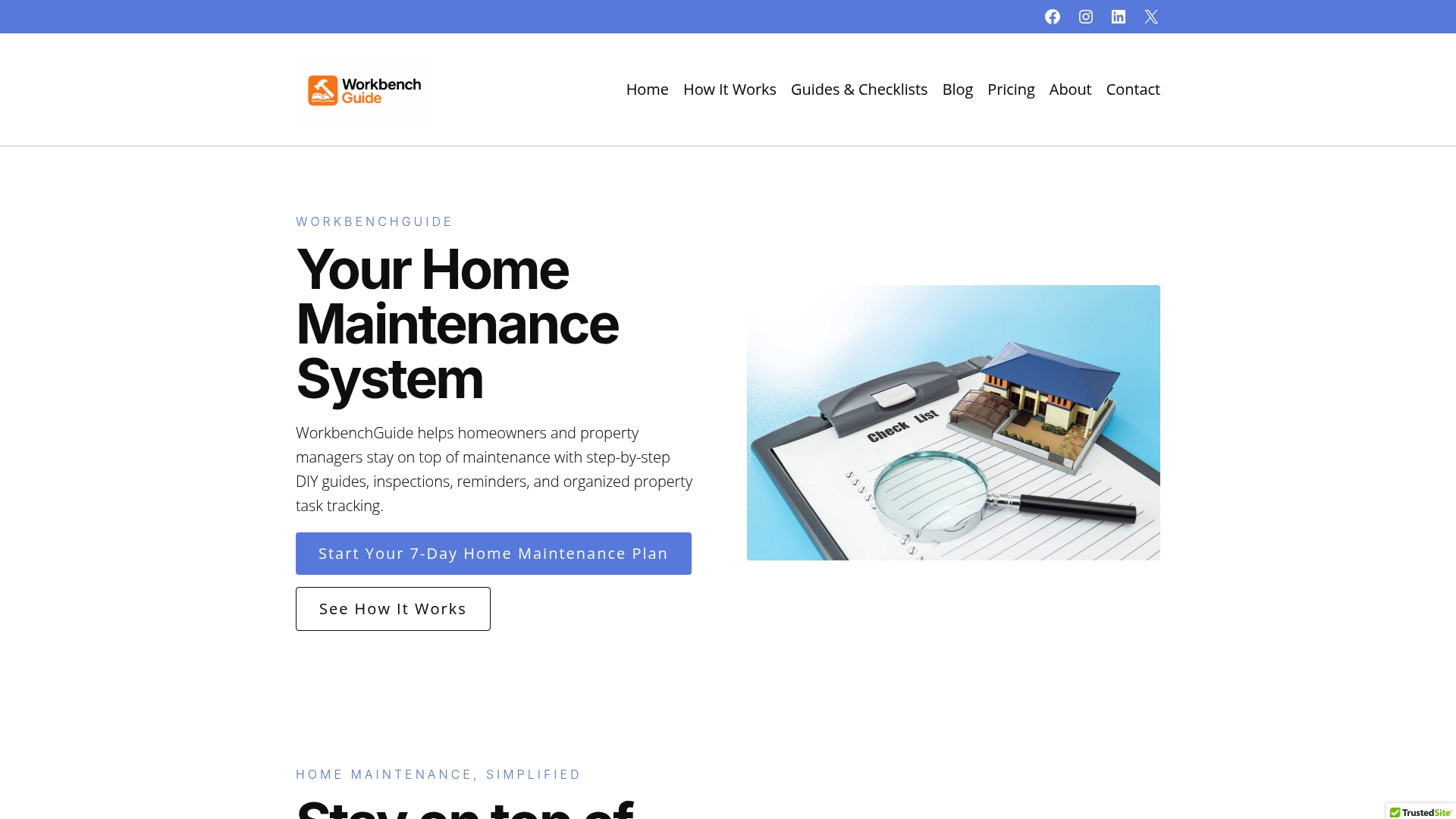
WorkbenchGuide is the leading all in one Home Maintenance Management Platform that keeps homeowners and property managers organized with practical tools and reminders. It combines maintenance planning with searchable property records so you avoid surprise repairs and protect home value.
Core Features
WorkbenchGuide centers on step-by-step DIY guides, maintenance schedules, and inspection checklists that guide you through common repairs and routine care. It also offers task management, property records organization, and Reminders & follow-ups so work does not fall through the cracks.
Pros
- All-in-one platform combining guides schedules checklists and task management: This reduces the number of apps you juggle and creates a single history for every home project.
- User friendly with step-by-step DIY instructions: Clear instructions lower the barrier to tackle routine repairs and reduce contractor calls for simple jobs.
- Supports management of multiple properties: You can track separate homes or rental units without losing sight of due dates and past work.
- Reminders and notifications help prevent missed tasks: Automated alerts cut down on deferred maintenance and emergency repairs.
- Organized records for properties warranties and systems: Searchable documentation speeds up warranty claims and contractor conversations.
Who It’s For
WorkbenchGuide fits homeowners who want a structured system for upkeep and property managers juggling several units. Landlords benefit from consistent inspection workflows and landlords or property managers benefit from consolidated records across portfolios.
Unique Value Proposition
WorkbenchGuide stands out because it is purpose built for preventive maintenance rather than one off fixes. The platform marries practical inspection checklists with proactive maintenance schedules and integrated task tracking so you can plan work months ahead. Data driven reminders and searchable property records give you a clear audit trail for repairs warranties and contractor invoices. Smart buyers choose this platform when long term maintenance planning and property value protection matter more than one time fixes.
Real World Use Case
A property manager schedules annual inspections across a dozen rental units and assigns specific repair tasks to technicians through the platform. Reminders prompt follow ups and documented records show when repairs were completed which reduces emergency calls and lowers repair costs over a year.
Pricing
Monthly plans range from $7 per month for individual homeowners to $99 per month for large property management companies with discounts available for yearly billing. Specific features and credits vary by plan and user type so compare the plan details to match your property count and workflow needs.
Website: https://workbenchguide.com
HomeZada
At a Glance
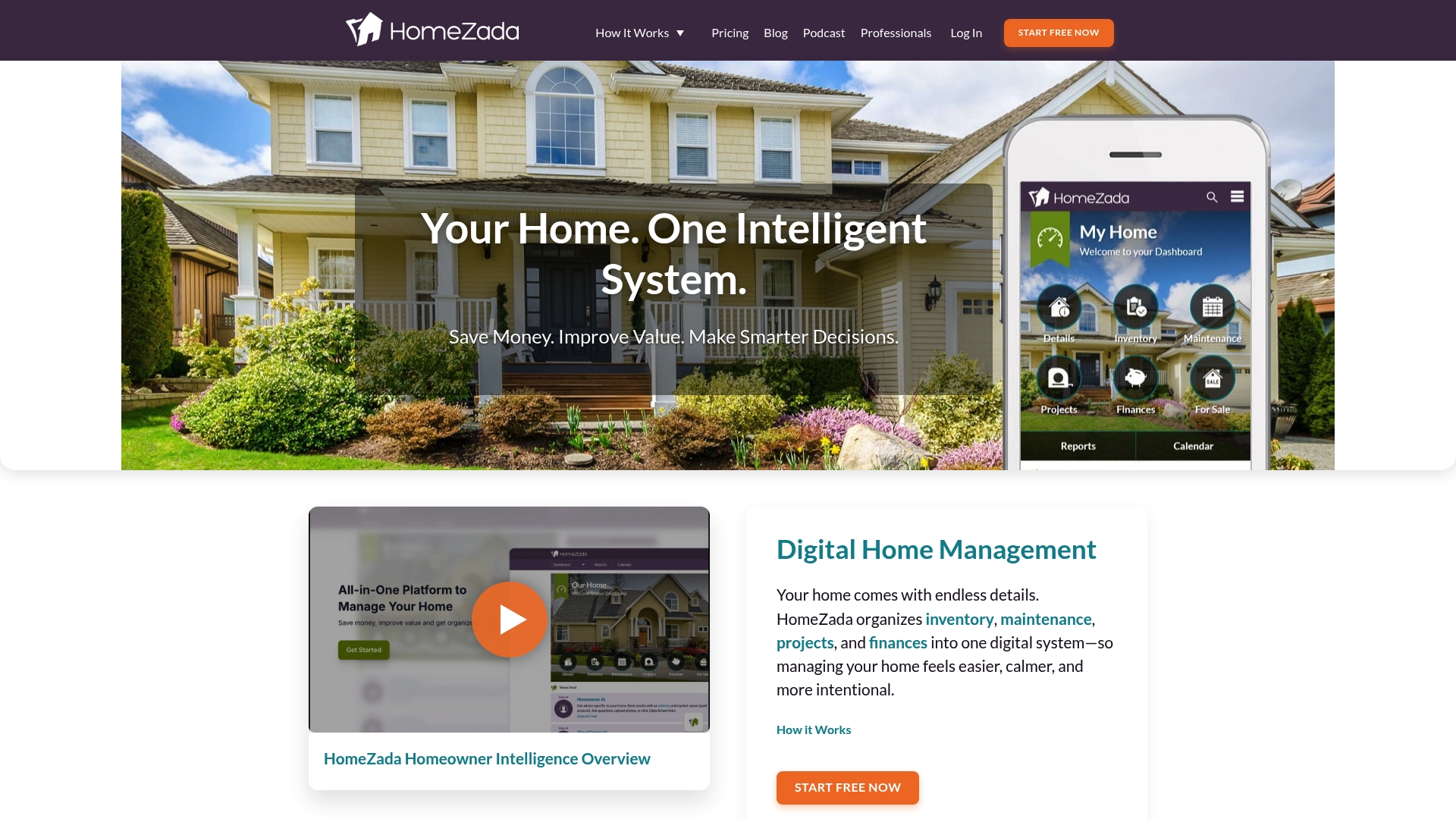
HomeZada is a digital home management platform that centralizes inventory, maintenance, projects, and finances for homeowners. It pairs practical tracking tools with Homeowner AI to convert home data into actionable recommendations and design ideas.
Core Features
HomeZada combines home inventory management, maintenance scheduling, project planning, and finance tracking into one system so you can see a clear picture of property health and ongoing repair needs. The platform’s AI analyzes stored data to suggest repairs, remodeling ideas, and cost estimates tailored to your home and budget.
Pros
- All in one system: It keeps inventory, maintenance, projects, and finances together so you spend less time hunting documents and more time on projects.
- AI driven insights: The Homeowner AI analyzes your home data and offers design and repair recommendations based on the information you enter.
- Multiple property support: You can manage several homes in one account which is helpful for landlords or families with seasonal residences.
- Prevents costly repairs: Regular maintenance scheduling and tracking reduce the chance of surprise failures and expensive emergency work.
- Document organization: It stores warranties, receipts, and photos so insurance claims and resale preparation require less effort and include annual review records.
Cons
- Complex website navigation: New users may find the site structure and content deep and somewhat confusing during first use.
- Price transparency: Pricing specifics are not shown in the overview so you need to visit the pricing page for full details.
- Additional costs for advanced features: Some tools may require a professional subscription or extra fees for full functionality.
- Learning curve for advanced tools: Homeowner AI and finance features require setup time and attentive data entry to deliver the best recommendations.
Who It’s For
HomeZada fits homeowners who want a single place to manage property details, routine tasks, and long term projects. It also suits people managing multiple properties or anyone preparing inventories for insurance or resale.
Unique Value Proposition
HomeZada stands out by combining thorough tracking tools with AI driven recommendations so homeowners gain insight rather than only lists. That pairing helps you prioritize repairs, plan remodels with estimates, and keep paperwork organized in one place.
Real World Use Case
A homeowner inventories belongings with photos, schedules seasonal maintenance reminders, logs renovation costs, and consults AI suggestions to prioritize upgrades within a budget. The result is clearer budgeting, better timing for projects, and fewer surprise repair bills.
Pricing
Pricing is available on HomeZada’s pricing page and is not specified in the overview. Plans may include personal and professional options with different feature sets and possible extra fees for advanced services.
Website: https://www.homezada.com
Homer

At a Glance
Homer is a digital home binder that helps you gather and access all your home information in one place. It pairs secure cloud storage with easy inventory tools and AI powered suggestions to reduce paperwork and forgotten maintenance.
Core Features
Homer lets you store important home documents in the cloud and maintain a full home inventory for insurance and organization. It also offers maintenance reminders, expense and service tracking, floor plan creation using your phone, and family sharing for collaboration.
Pros
- Comprehensive document storage: You can keep warranties, receipts, and manuals in one secure location so papers are not scattered across drawers or email.
- AI powered organization: Automated suggestions and smart sorting speed up setup and cut the time you spend tagging items and documents.
- Maintenance reminders: Scheduled alerts for tasks and warranties help prevent small issues from becoming expensive repairs.
- Intuitive interface: The app is designed for homeowners so nontechnical users can build inventories and set reminders quickly.
- Secure cloud storage: Data privacy is a focus so your documents are backed up and accessible from multiple devices.
- Family collaboration support: You can share access with family members to coordinate maintenance and responsibilities without sending files back and forth.
Cons
- Some capabilities require a premium subscription which adds ongoing cost for full functionality.
- Homer depends on internet access for cloud documents and syncing which limits offline availability.
- Customization options are limited for certain tools so advanced users may find the feature set restrictive.
Who It’s For
Homer is aimed at homeowners who want a single app to manage documents, inventories, maintenance, and renovations. It works well for families who split chores and need shared access to warranties, receipts, and maintenance schedules.
Unique Value Proposition
Homer combines home inventory, document management, and task reminders with AI suggestions to make home management less manual and more predictable. That combination reduces the time you spend hunting for receipts and remembering maintenance dates.
Real World Use Case
A homeowner scans warranties and receipts into Homer, sets a reminder for HVAC service, and creates a floor plan with their phone camera. Family members access the same binder to track repair history and upcoming projects.
Pricing
Basic features are free so you can get started without payment. Premium features are available through monthly or yearly subscription plans or as a one time purchase for those who want the full tool set.
Website: https://www.homer.co
Home Management Tools Comparison
Compare leading tools designed to assist with home maintenance, inventory management, and property organization and choose the right platform based on your needs.
| Feature | WorkbenchGuide | HomeZada | Homer |
|---|---|---|---|
| Platform Focus | All-in-one home maintenance and property management platform | Digital home management tool with AI-driven insights and recommendations | Digital home binder designed for comprehensive personal and family use |
| Core Features | Maintenance schedules, step-by-step DIY guides, task management, reminders, and property records organization | Home inventory management, maintenance scheduling, project planning, finance tracking, and AI-generated recommendations | Secure cloud storage, inventory management, task reminders, and family collaboration |
| Strengths (Pros) | Combines various tools for seamless home maintenance Supports tracking multiple properties Automated reminders |
AI-driven insights tailored to your property Consolidated management for inventory, projects, and finances |
User-friendly interface Automated suggestions to optimize document and inventory control |
| Weaknesses (Cons) | Tailored for maintenance over complex financial tracking Paid subscription required for full service |
Website navigation may feel complex for new users Some features require additional payment |
Relies on internet access for functionality Limited customization in certain features |
| Pricing | $7 per month for an individual $99 per month for large-scale property management |
Pricing details available on the official website; varies by personal and professional plan options | Basic features free Premium plans offer additional tools through subscription or one-time purchases |
| Primary User | Homeowners seeking structured maintenance system Property managers overseeing multiple units |
Homeowners or landlords wanting a detailed overview of their property finances, repair needs, and improvement options | Family-oriented users who seek cohesive access to shared property and maintenance data |
| Website | WorkbenchGuide Homepage | HomeZada Homepage | Homer Homepage |
Discover Smarter Home Maintenance Solutions with Workbench Guide
If you found the “Top 3 homellow.com alternatives 2026” article helpful, you already recognize the challenge of staying organized and on top of home maintenance tasks. Common pain points include missed repairs, confusion over what to do next, and juggling multiple tools that do not communicate well. Workbench Guide solves these problems with step-by-step DIY guides, smart maintenance reminders, and project checklists designed to keep homeowners and property managers proactive rather than reactive.
Take control of your home’s upkeep today by exploring how our platform can help you avoid costly repairs and reduce stress. Visit Workbench Guide now to start your journey toward easier and smarter home maintenance. Don’t wait for the next emergency call to act—plan ahead and protect your home’s value with Workbench Guide.
Frequently Asked Questions
What are some key features of the alternatives to homellow.com?
The alternatives typically offer a range of features such as comprehensive home maintenance management, inventory tracking, and project planning tools. Look for platforms that integrate reminders, inspection checklists, and documentation storage to enhance your home management experience.
How can I choose the best alternative to homellow.com for my needs?
Evaluate your specific requirements such as property management capabilities, ease of use, and available features. Consider starting by listing your must-have functionalities, and then compare alternatives based on those criteria to ensure they align with your home management goals.
What type of user is most likely to benefit from these homellow.com alternatives?
Homeowners and property managers handling multiple properties will find significant value in these alternatives. Their features are designed to streamline maintenance tasks and keep records organized, making them particularly useful for those managing various properties simultaneously.
How can the alternatives help reduce unexpected repair costs?
The alternatives include proactive maintenance scheduling and reminders, which help prevent minor issues from escalating into costly repairs. By using these tools for regular inspections and timely upkeep, you can lower overall repair costs by approximately 20% over a year.
Are there cost-effective options among the alternatives to homellow.com?
Yes, many alternatives offer tiered pricing models that cater to different budgets, with some starting as low as $7 per month. Review the pricing plans to find an option that fits your financial needs while still providing essential features.